81
Specifying Viewable Images
6
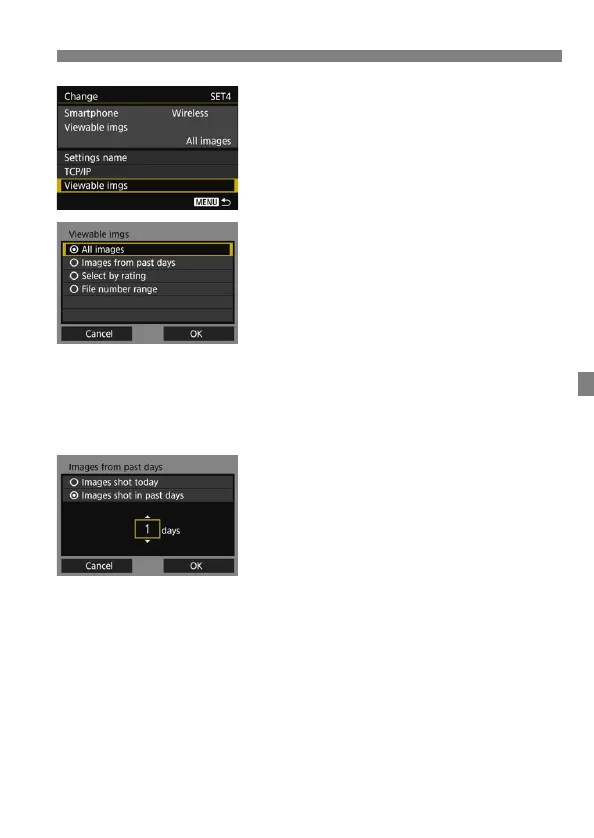
Select [Viewable imgs].
7
Select an item.
Select [OK] and press <0> to
display the setting screen.
[All images]
All images stored on the card become viewable.
[Images from past days]
Specify viewable images on the
shooting-date basis. Images shot up to
nine days ago can be specified.
Select an item, then press <0>.
When [Images shot in past days] is
selected, images shot up to the
specified number of days before the
current date become viewable. When
<r> is shown for the number of
days, turn the <5> dial to specify the
number of days, then press <0> to
confirm the selection.
Select [OK] and press <0> to
specify the viewable images.



 To Next Page