63
Displaying WFT Server
5
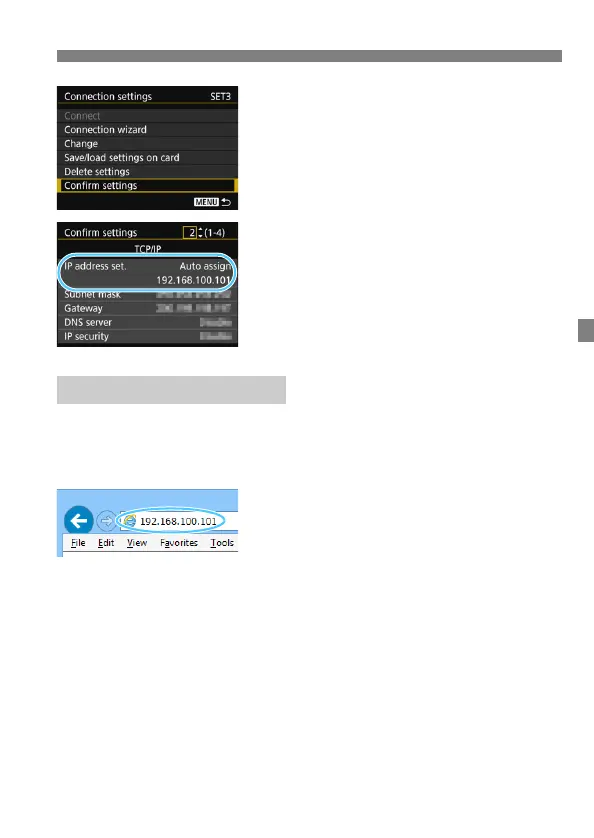
Select [Confirm settings].
The settings are displayed.
6
Check the settings.
Turn the <5> dial to display other
screens.
Write down the IP address.
After checking it, press the <M>
button to exit the confirmation dialog.
7
Start the web browser.
Start a web browser on a computer,
smartphone, etc.
8
Enter the URL.
In the address field, enter the IP
address you wrote down in step 6.
Press the <Enter> key.
Logging in to WFT Server



 To Next Page