41
Configuring FTP Server Connection Settings
If the FTP mode is set to [FTPS] when configuring the connection
settings, the same root certificate as the FTP server must be imported
to the camera.
Only the root certificate whose file name is “root.cer”, “root.crt”, or
“root.pem” can be imported to the camera.
Only one root certificate file can be imported to the camera.
Insert a card containing the root certificate file in advance.
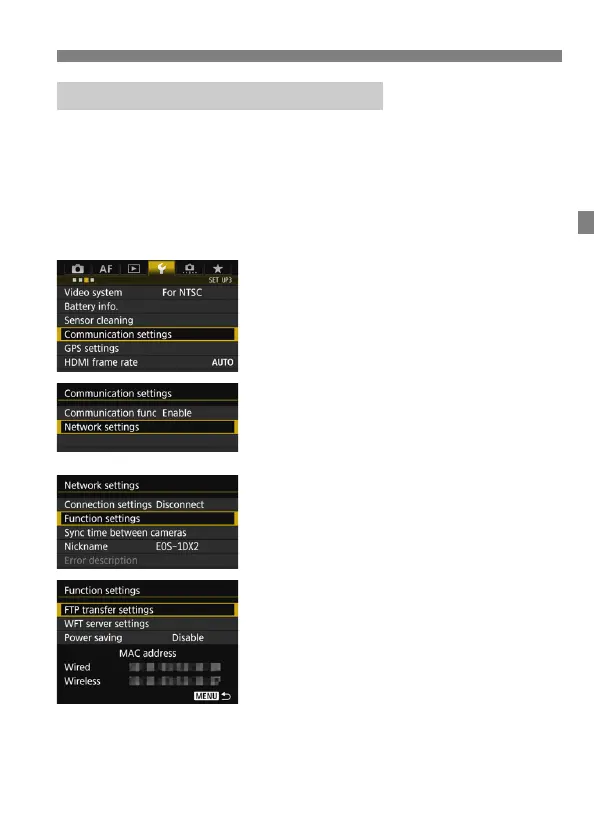
1
Select [Communication settings].
Under the [53] tab, select
[Communication settings], then
press <0>.
2
Select [Network settings].
Set [Communication func] to
[Enable], then select [Network
settings].
3
Select [Function settings].
4
Select [FTP transfer settings].
Importing a Root Certificate for FTPS



 To Next Page