6
6. Operation
Operation
• Before reading this section, be sure to read Section 3 "Rules for Safe Operation and
Maintenance" (see pages 5 to 9).
• When operating the machine, always follow the instructions in this section. Do not operate the
machine unless you are familiar with the operation of all controls and safety devices.
6.1 Preparation Before Operation
6.1.1 Adding Fuel
• When adding fuel, keep open flames (lighted cigarettes, etc.) away from
fuel
and engine. Flames will cause the fuel to
ignite.
• Always stop the engine before adding fuel.
• Do not overfill so that fuel spills out of filler cap. Wipe up any spillt before
starting engine.
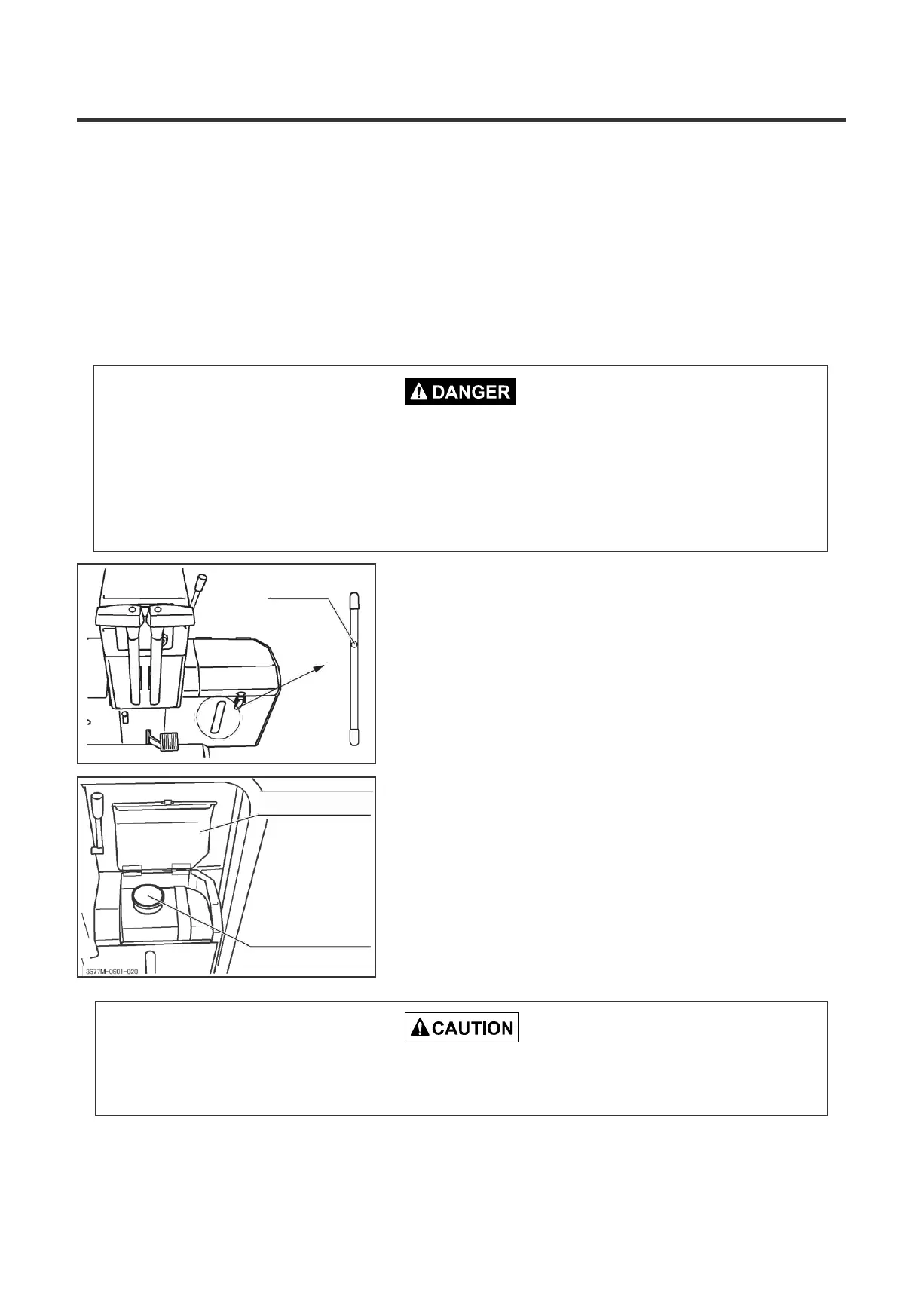
Fuel gauge
Checking fuel level
Visually check the fuel level gage. If fuel is
low,
open the fuel tank cap, and add
fuel.
Adding fuel
1. Open the fuel tank
cover.
3677M-0601-060
Fuel tank cover
Fuel tank cap
2. Open the fuel tank cap, and add
fuel.
3. Replace the fuel tank
cap.
4. Replace the fuel tank
cover.
Fuel to use: Light oil
Fuel tank capacity: 15.0 liters
Take extreme care so that a hand is not caught by the fuel tank
cover.


 To Next Page