9
Troubleshooting
Machine does not move
even when steering
levers are placed in
FORWARD or
REVERSE positions
Defective turning
・
Parking brake is applied
・ Problem in hydraulic system
・ Failure inside HST
・ Overloaded
・ Insufficient or deteriorated
hydraulic
circuit
・ Clogged oil cooler
・ Dirt in hydraulic circuit
・ Clogged filter element
・ Fluid leaks from hydraulic
system
・ Insufficient discharge from
hydraulic
pump
・ Other
→ Release parking brake
→ See Hydraulic related (See
page 56)
→
Please contact your Canycom
distributor
→ Reduce load
→ Add or change fluid
(See
page 36)
→
Clean
→ Remove dirt
→ Replace (See page 41)
→ Check and repair
→
Please contact your
Canycom
distributor
→
Please contact your
Canycom
distributor
・ Adjustment nut loosened
・ Brake lining worn
・ Water in brake drum
・ Overload
→ Adjust (See page 44)
→ Replace the lining
(
Please
contact your Canycom distributor
)
→ Apply the brake several
times to eliminate water
→ Reduce load
Crawler does not rotate
smoothly
・ Defective wiring
・
Blown bulb
・
Blown fuse
→ Connect
→ Replace
→ Replace (See page 49)
Warning lamp lights up
after engine is started
(1) Charge lamp
(2) Oil lamp
・ Disconnected coupler, wiring
・ Lack of engine oil or
abnormality in lubricating
system
→ Connect
→ Add oil (See page 34)
・
Disconnected terminal for
horn wiring, broken
wiring
・ Blown fuse
→ Connect or repair
→ Replace (See page 49)
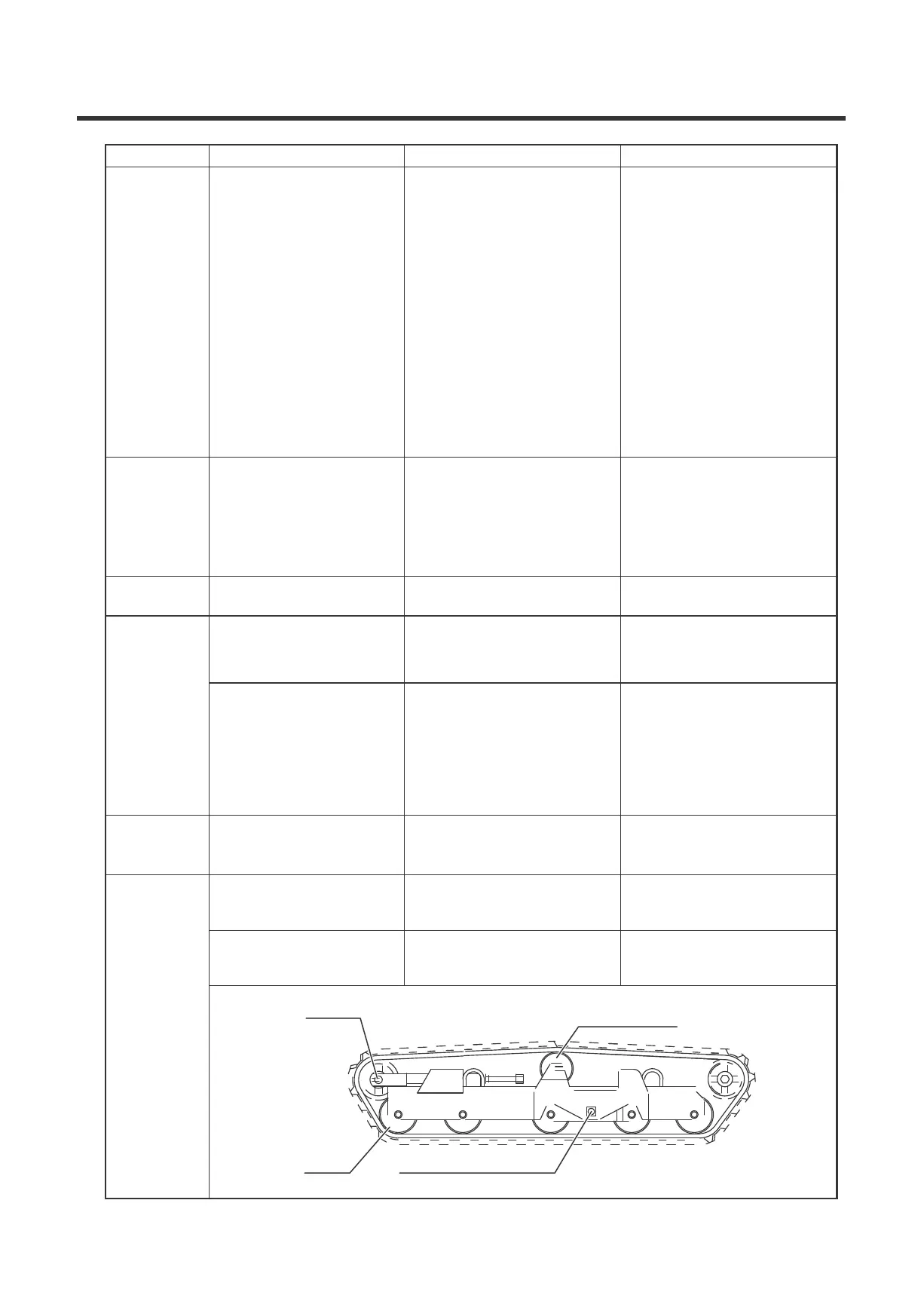
Roller,
Idler,
Upper
roller,
Swing
roller
mounting
pin
→ Replace the defective part
(Please contact your Canycom
distributor
)
→ Replace the defective part
(Please contact your Canycom
distributor
)
Idler
Upper roller
Roller
Swing roller mounting
pin


 To Next Page