IFU-2800 Rev E 11/18
6
5. Installation
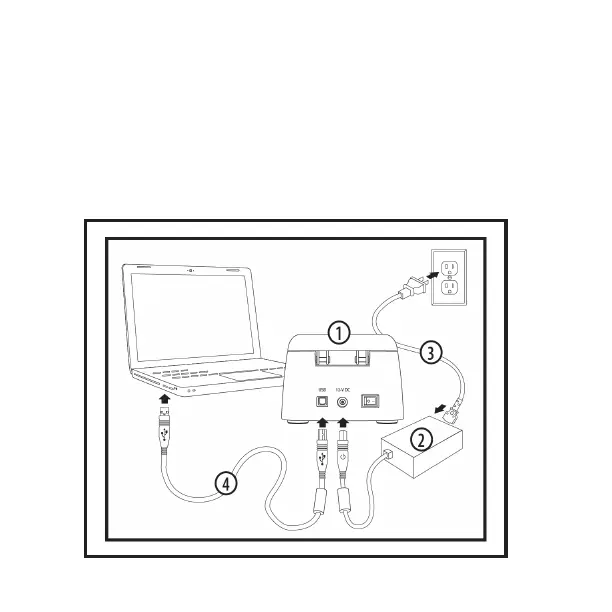
Connect the power cable (3) to the supplied
AC adapter (2).
Connect the AC adapter (2) to the 12V DC input of
the CapsoAccess® Capsule Data Access System (1).
Connect the power cable (3) to an outlet rated for
a voltage between 110 and 240V AC.
Attach the USB cable (4) to the USB input of the
CapsoAccess® Capsule Data Access System (1).
Connect the other end of the USB cable (4) to the
computer with the CapsoView® software and
the required USB driver installed.


 To Next Page