IFU-2800 Rev E 11/18
8
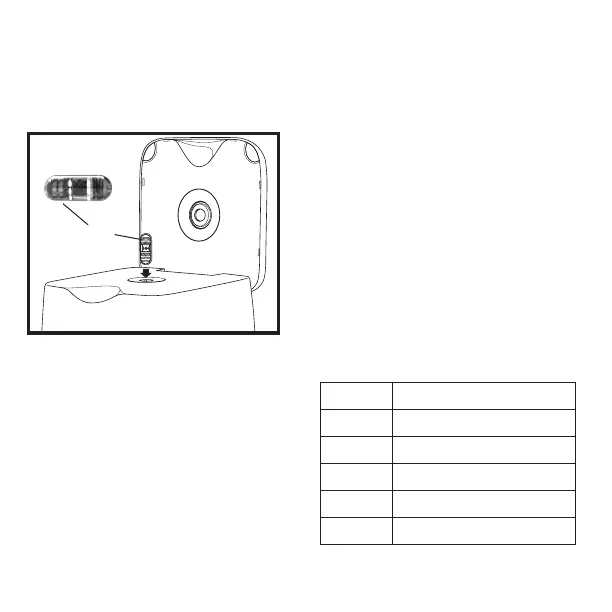
Place the capsule into the system receptacle
battery-end up and close the lid of the system.
The download operation will fail with an
incorrectly oriented capsule.
Start the CapsoView® software. Refer to the
CapsoView® Instructions for Use.
To begin the download process, click Download
on the CapsoView® menu bar.
Select the destination where you would like to
save the le and click Next. A window should
appear where procedure-specic information
must be entered before beginning the download.
Click Next after the information has been entered.
Review the information in the window and click
Yes to begin the download of data from the
capsule.
After all capsule downloads are completed,
the system may be turned OFF.
7. CapsoAccess® System
Indicator Lights
Light Status
Solid Yellow Unit is idle and lid is open
Solid Green Ready for download or download is complete
Flashing Green Data transfer in progress
Flashing Yellow Error status
No light Power is o
Batteries


 To Next Page