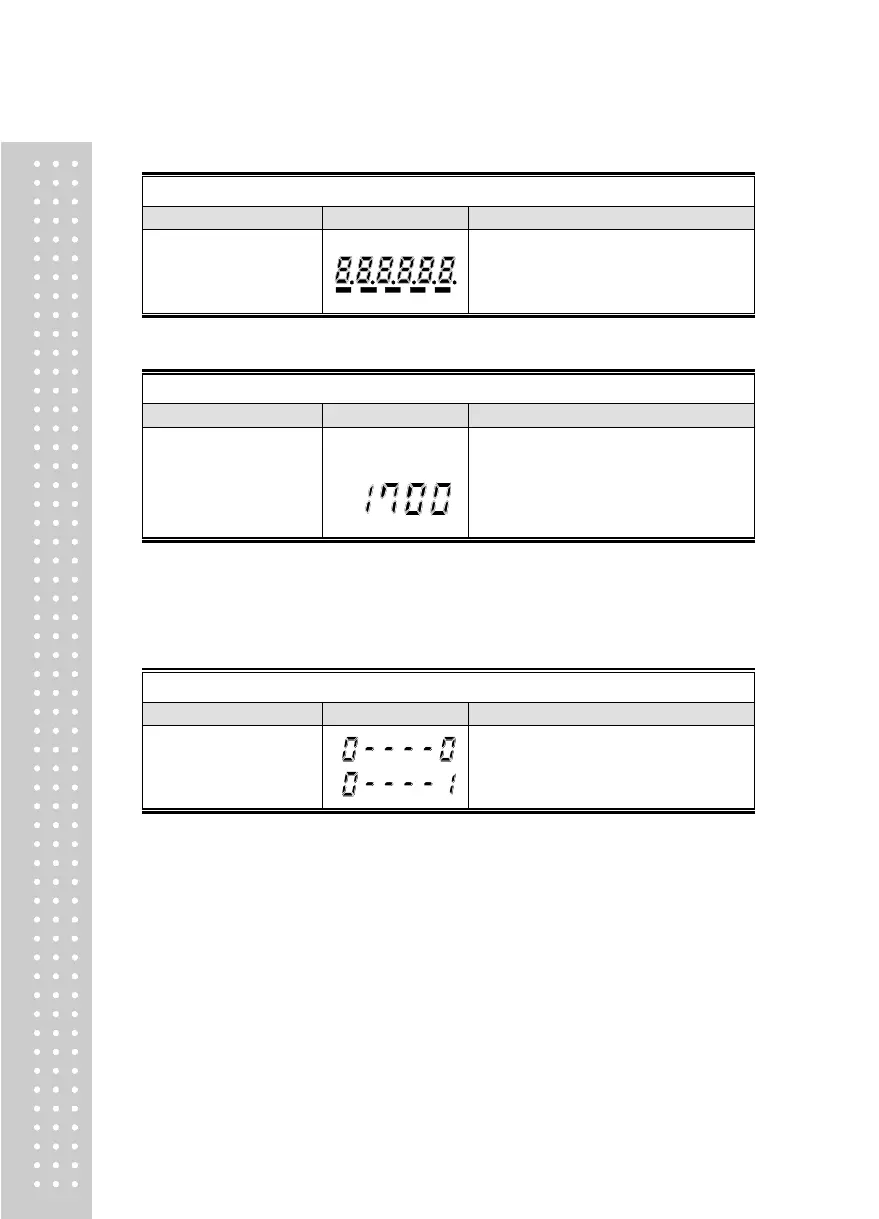
TEST 2
TEST 2 is performed.
If you press Set key, it will be moved to
test 3
TEST 3
FUNCTION : A/D converter test
ZERO key: Cancel
SET key : next menu
Display digital value
of current weight.
ex)
Display digital value of current weight.
This value means converted digital value
under actual condition.
If you press Set key, it will be moved to
test 4.
► Note 1. Check whether digital value is changing.
If the digital value is fixed or zero is displayed, please check the connection
of load cell.
TEST 4
FUNCTION : RS-232, RS-485 test with computer(Serial port)
▲ Key : Value change
ZERO key: Cancel
SET key : next menu
Waiting for transmission and reception
Received: none, Transmitted : 1
► Note 1. Do this test after the connection of serial port of computer and serial port of
indicator is done.
Note 2. Send no.1 in computer keyboard and check if indicator receives no.1
Send no.1 in indicator keyboard and check if computer receives no.1
Note 3. Do this test after baud rate is specified in SET mode (RS-232 : F2-03 and
RS-485 : F2-08).



 To Next Page