Appendix 5. <How-to-Use the MIGUN protocol>
1. BCC (Check sum) auto used
When you send a command to an indicator, you receive data with BCC if the data includes
BCC, and when you send a command that does not contain BCC, you receive data except
BCC.
STX ID. NO. WZER ACK BCC ETX
or
STX ID. NO. WZER NAK BCC ETX
▶ Format when Commanded by PC (Includes BCC)
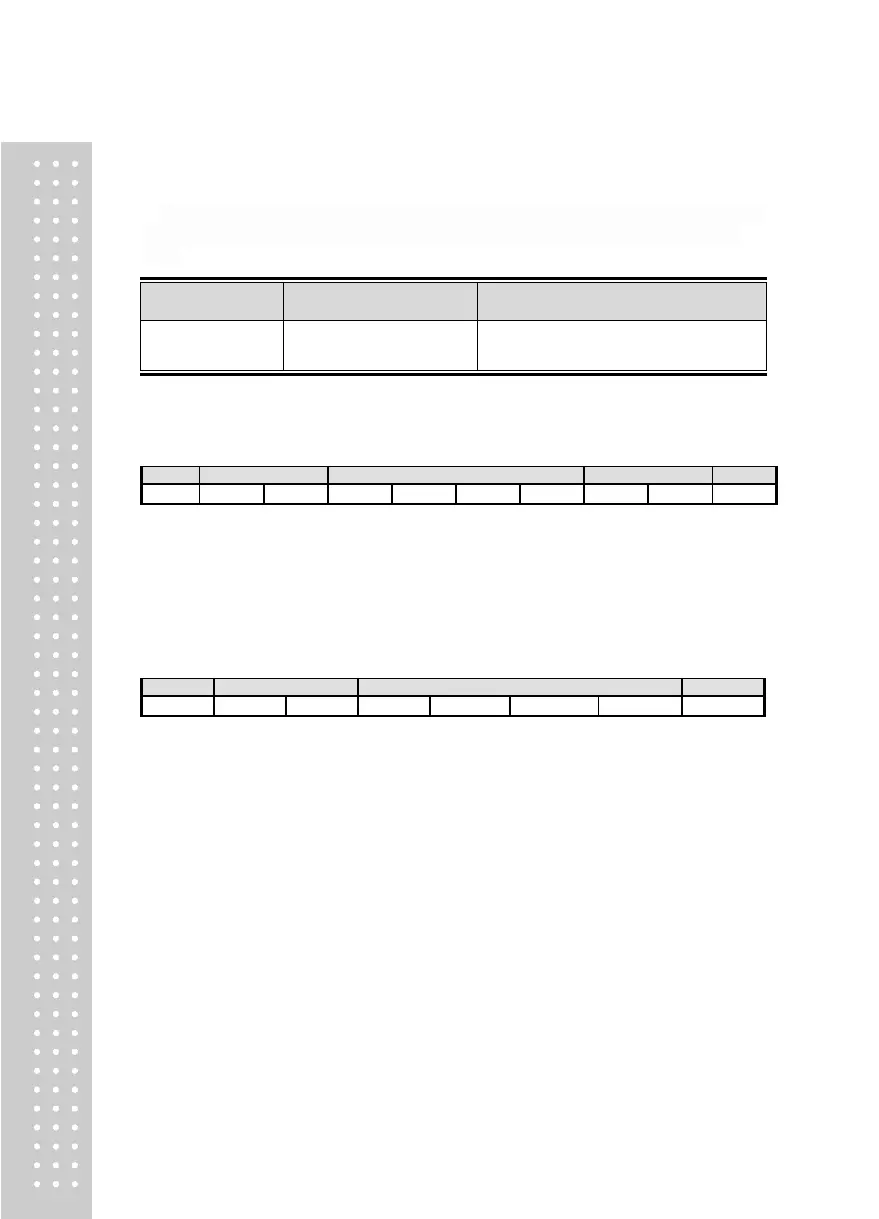
STX(1) ID.NO.(2) COMMAND(4) BCC(2) ETX(1)
※ Calculation on the Check-Sum computes the total sum of values from “STX” to prior to
“BCC,” and only transmits single digit and double digit numbers in the range of 10’s.
For example, if the calculated Check-Sum value is “1A9,” then the last two characters
“A” and “9” will be converted to ASCII and be transmitted as “41H” and “39H.”
▶ Format when Commanded by PC (Excepts BCC)
STX(1) ID.NO.(2) COMMAND(4) ETX(1)
● ID.NO. : F20 Set Device Number = 01(30H 31H)
(Recommended) To prevent DATA ERROR, BCC is recommended for use.



 To Next Page