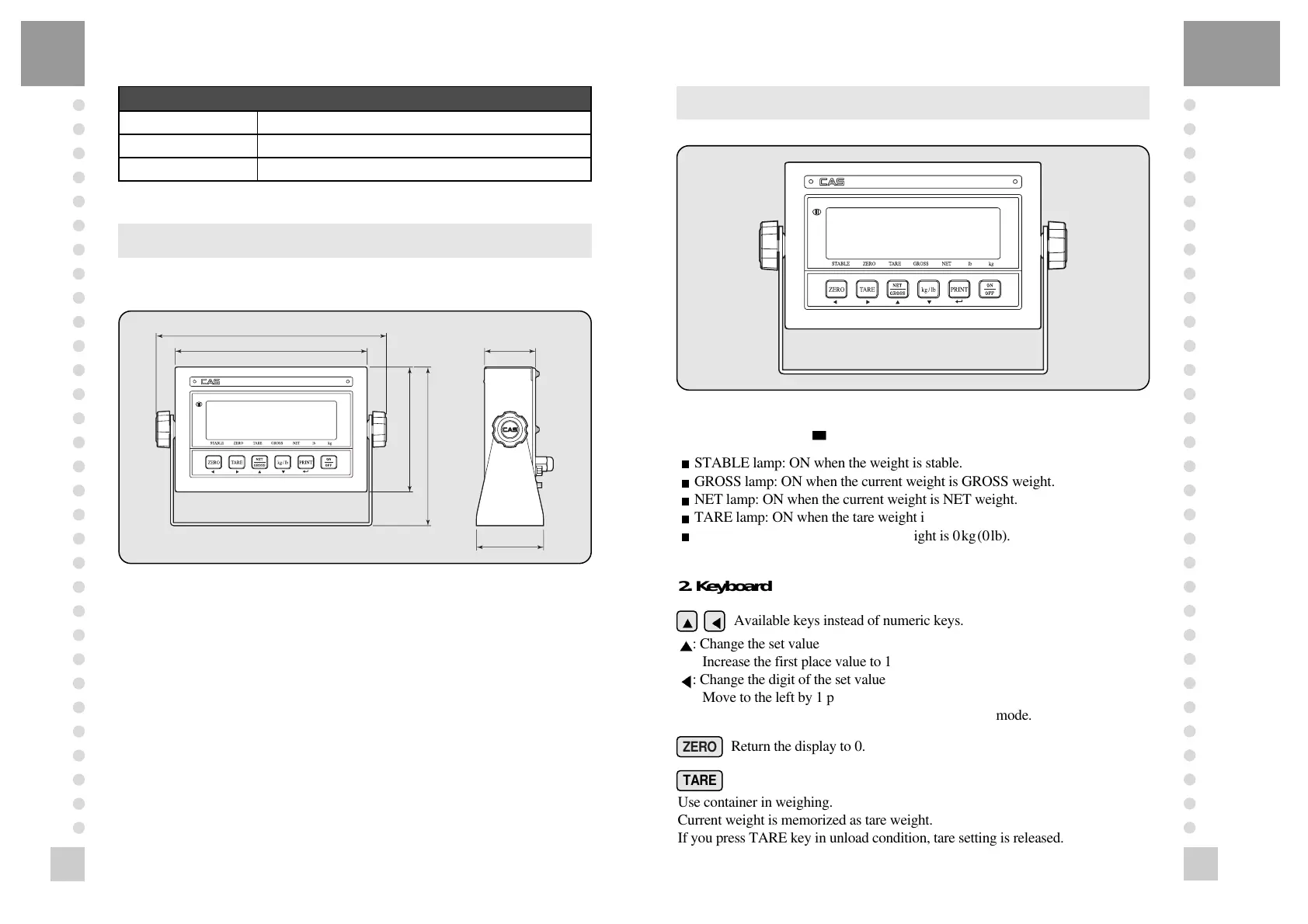
1. Display Lamp( )
?
?
?
?
?
?
?
?
@@@@@@@@@@@@g?
@@@@@@@@@@@@g?
@@@@@@@@@@@@g?
@@@@@@@@@@@@g?
@@@@@@@@@@@@g?
@@@@@@@@@@@@g?
@@@@@@@@@@@@g?
@@@@@@@@@@@@g?
@@@@@@@@@@@@g?
@@@@@@@@@@@@g?
@@@@@@@@@@@@g?
@@@@@@@@@@@@g?
?
?
?
?
?
?
?
STABLE lamp: ON when the weight is stable.
?
?
?
?
?
?
?
?
@@@@@@@@@@@@g?
@@@@@@@@@@@@g?
@@@@@@@@@@@@g?
@@@@@@@@@@@@g?
@@@@@@@@@@@@g?
@@@@@@@@@@@@g?
@@@@@@@@@@@@g?
@@@@@@@@@@@@g?
@@@@@@@@@@@@g?
@@@@@@@@@@@@g?
@@@@@@@@@@@@g?
@@@@@@@@@@@@g?
?
?
?
?
?
?
?
GROSS lamp: ON when the current weight is GROSS weight.
?
?
?
?
?
?
?
?
@@@@@@@@@@@@g?
@@@@@@@@@@@@g?
@@@@@@@@@@@@g?
@@@@@@@@@@@@g?
@@@@@@@@@@@@g?
@@@@@@@@@@@@g?
@@@@@@@@@@@@g?
@@@@@@@@@@@@g?
@@@@@@@@@@@@g?
@@@@@@@@@@@@g?
@@@@@@@@@@@@g?
@@@@@@@@@@@@g?
?
?
?
?
?
?
?
NET lamp: ON when the current weight is NET weight.
?
?
?
?
?
?
?
?
@@@@@@@@@@@@g?
@@@@@@@@@@@@g?
@@@@@@@@@@@@g?
@@@@@@@@@@@@g?
@@@@@@@@@@@@g?
@@@@@@@@@@@@g?
@@@@@@@@@@@@g?
@@@@@@@@@@@@g?
@@@@@@@@@@@@g?
@@@@@@@@@@@@g?
@@@@@@@@@@@@g?
@@@@@@@@@@@@g?
?
?
?
?
?
?
?
TARE lamp: ON when the tare weight is stored.
?
?
?
?
?
?
?
?
@@@@@@@@@@@@g?
@@@@@@@@@@@@g?
@@@@@@@@@@@@g?
@@@@@@@@@@@@g?
@@@@@@@@@@@@g?
@@@@@@@@@@@@g?
@@@@@@@@@@@@g?
@@@@@@@@@@@@g?
@@@@@@@@@@@@g?
@@@@@@@@@@@@g?
@@@@@@@@@@@@g?
@@@@@@@@@@@@g?
?
?
?
?
?
?
?
ZERO lamp: ON when the current weight is 0kg(0lb).
2. Keyboard
Available keys instead of numeric keys.
: Change the set value
Increase the first place value to 1
: Change the digit of the set value
Move to the left by 1 place
USAGE: Input the numeral value in TEST, CAL, SET mode.
Return the display to 0.
Use container in weighing.
Current weight is memorized as tare weight.
If you press TARE key in unload condition, tare setting is released.
ZERO
TARE



 To Next Page