17 | Page
INSTALLATION
SHELVING INSTALLATION
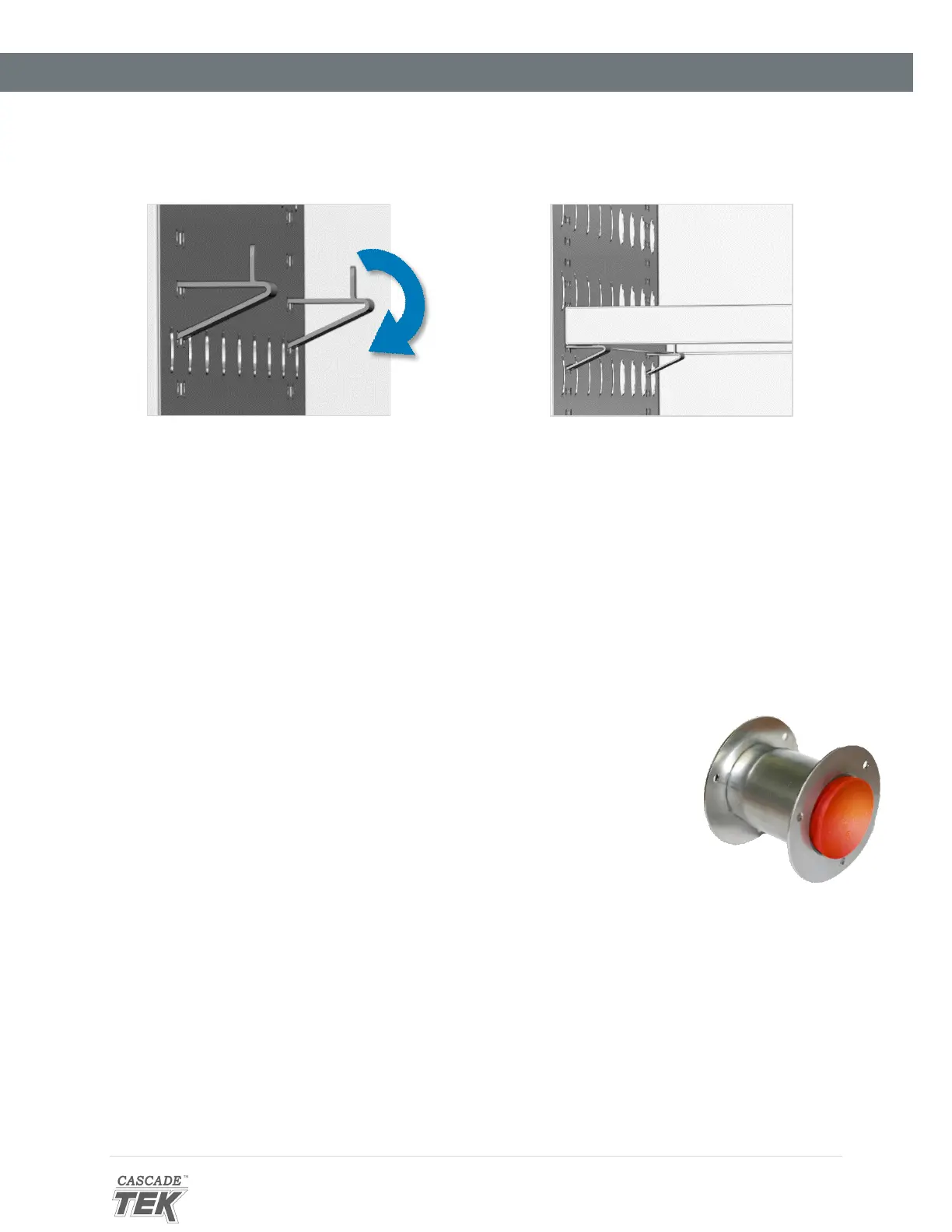
1. Install 4 clips for each shelf in the slots located on the sides of the chamber interior.
a. Squeeze each clip.
b. Insert the top tabs first, then the bottom tabs using a rocking motion.
2. Place the shelf on the clips.
ACCESS PORT STOPPER
Verify the port stopper is installed in the access port on the back of the unit. The
oven will not meet its temperature performance specifications without the stopper
installed.
The stopper must be installed on the outside of the oven. Installing the stopper on
the inside of the oven risks damaging the stopper.
The intended use of the port is to introduce sensor probes into the oven chamber.
7
: Port Stopper
in Access Port
Figure 6: Install Clips
5: Place the Shelf



 To Next Page