CEL-712 Microdust Pro Real-time Dust Monitor
30 Casella Measurement
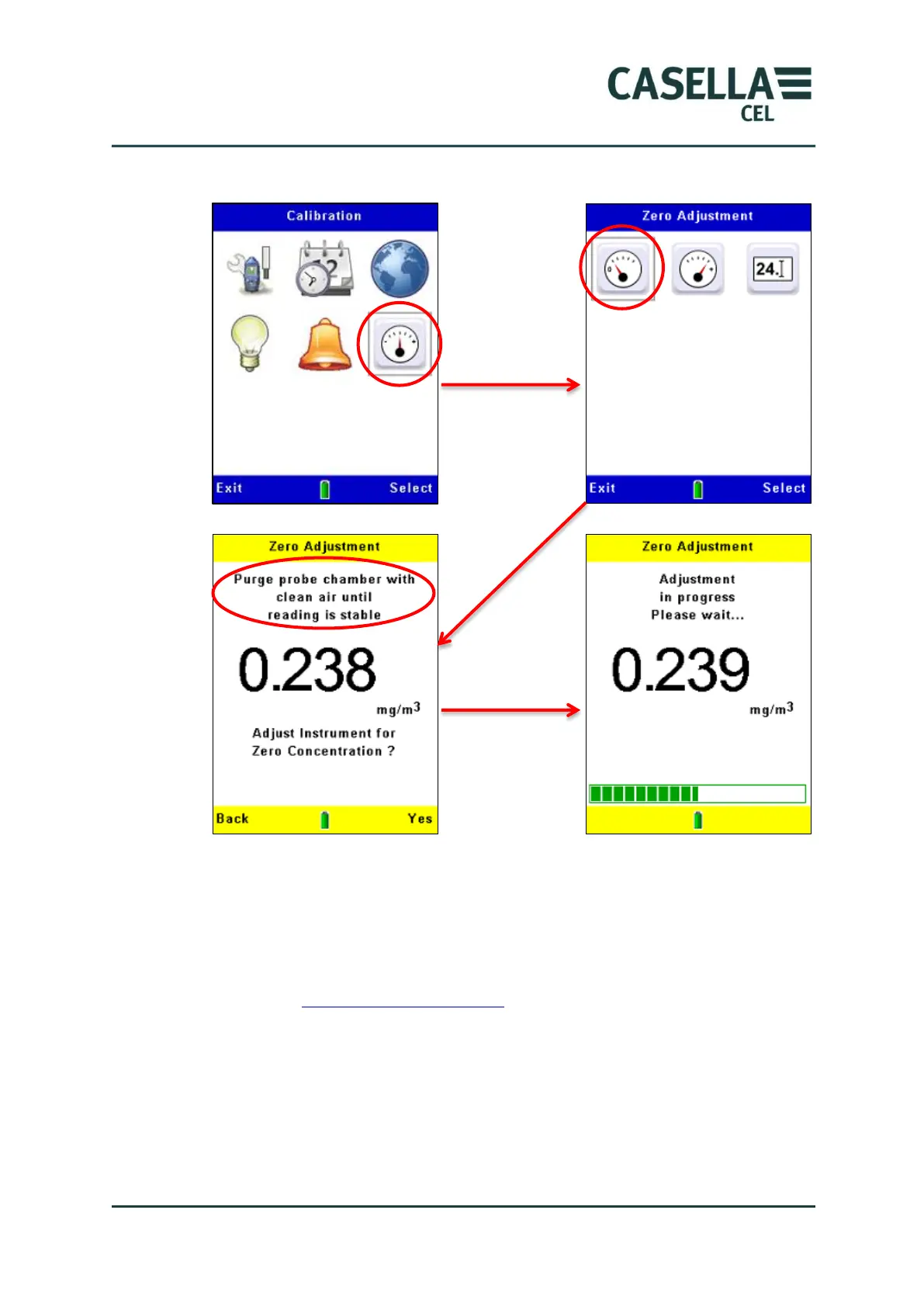
Figure 14 Setting the instrument zero
If the calibration fails, purge the probe with clean air for a longer period and
then repeat the calibration procedure.
Repeated calibration failures might indicate a possible fault in the probe. Refer
to section 9 Maintenance and servicing beginning on page 55.



 To Next Page