CEL-712 Microdust Pro Real-time Dust Monitor
39 Casella Measurement
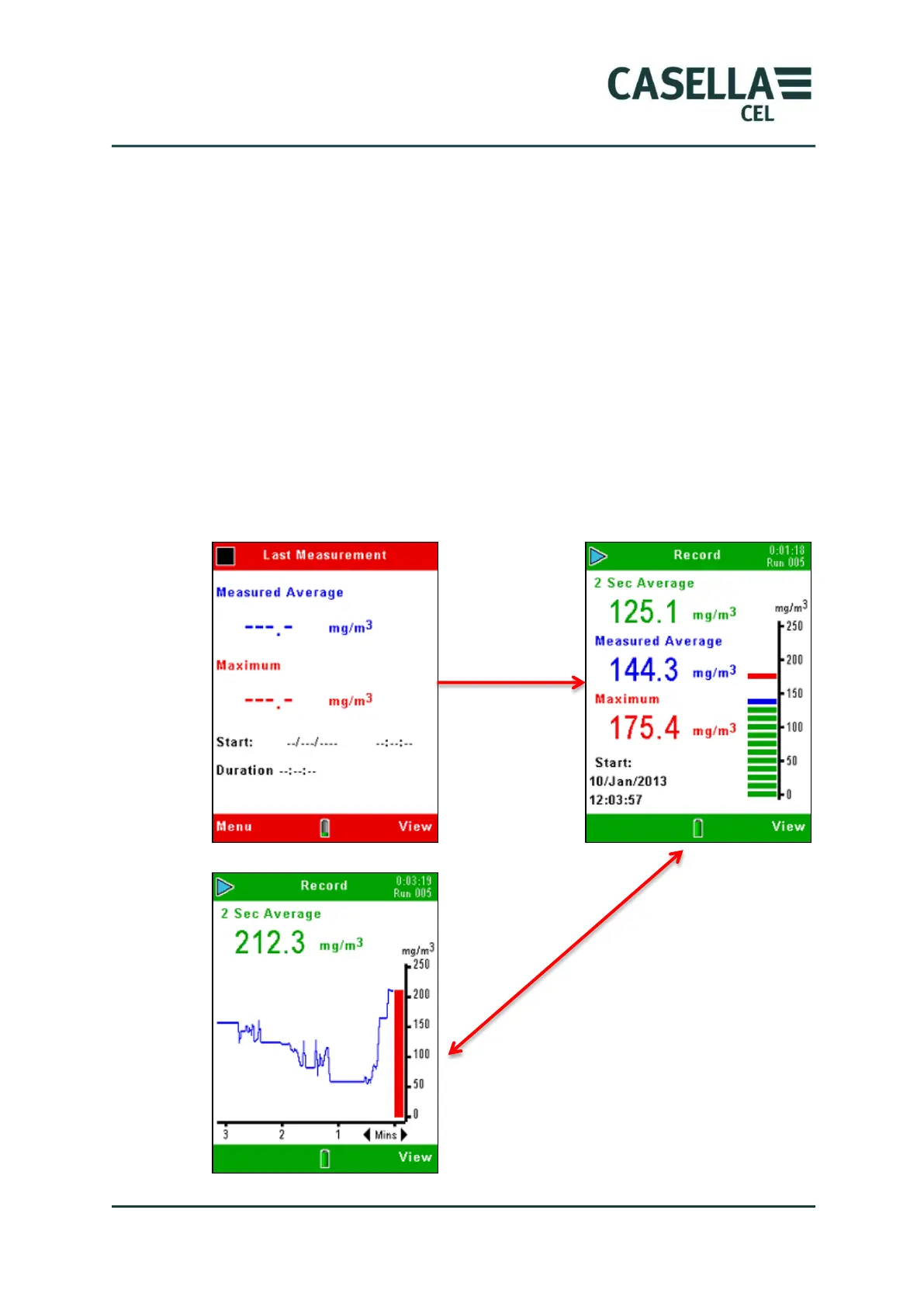
Press the View soft key to cycle through the sequence of available screens,
some of which show measurements as digital readings and some show
measurements as graphs.
All the screens in Run mode show basic information such as the elapsed time
in the current measurement Run, and the current Run number.
Whilst in the real-time Graph screen, pressing the left and right keys adjusts the
graph’s X-axis time period.
Data logging continues for a maximum duration of 999 Hrs, 59 mins, 59 secs,
after this time the current Run will be saved and a new Run will start.
An active measurement Run will also be terminated once the internal storage
memory becomes full.
Figure 19 Start logging



 To Next Page