Casella CEL-35X dBadge Users Handbook – Page 22
By pressing the ‘R’ key when on any of these screens, the display
will stop cycling for a period of 5 seconds.
On the CEL-352 dBadge ‘Plus’, The LC-A
is simply the L
Ceq
minus
the L
Aeq
for use in the HML method for the selection of hearing
protection. For detailed information on how to use these values to
calculate the effectiveness of hearing protection, please see
section 10.3.
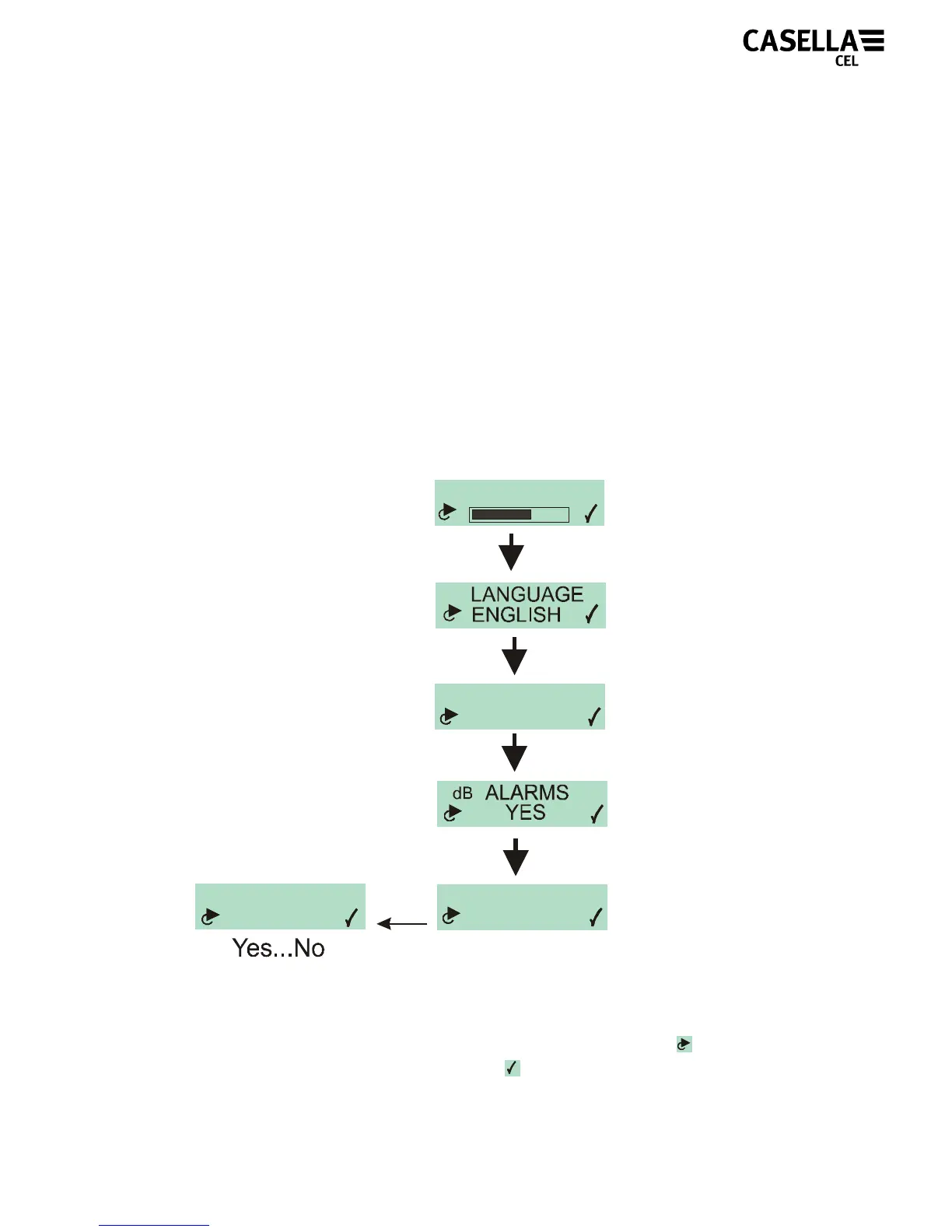
5.6 Configuration Menu
The configuration menu is accessed by holding the ‘R’ key down
whilst switching on the dBadge (‘L’ key), see Figure 22.
Figure 22
The first configuration screen to be displayed is the contrast menu.
For each option within these menus press the ‘L’ key
to adjust
what is on the screen then press ‘R’
to confirm and move to next
screen.
DISPLAY MODE
ISO
Spanish,French,
German,English,
Italian
OSHA, ISO
CONTRAST
CLEAR MEMORY
NO
Yes...No
SURE?
NO
Yes
Yes...No
English, French,
German, Italian,
Spanish, Portuguese



 To Next Page