Casella CEL-35X dBadge Users Handbook – Page 15
5.2 Calibration
It is important to calibrate each dBadge before and after use, in
accordance with workplace noise regulations. The dBadge records
calibration levels and times which can be viewed later on dB35
software.
Note that the dBadge will not enter calibration mode if a
measurement run is taking place. If a run is in progress, stop the
run according to section 5.4.
The windshield should be removed prior to calibration, refer to
section 3.4.
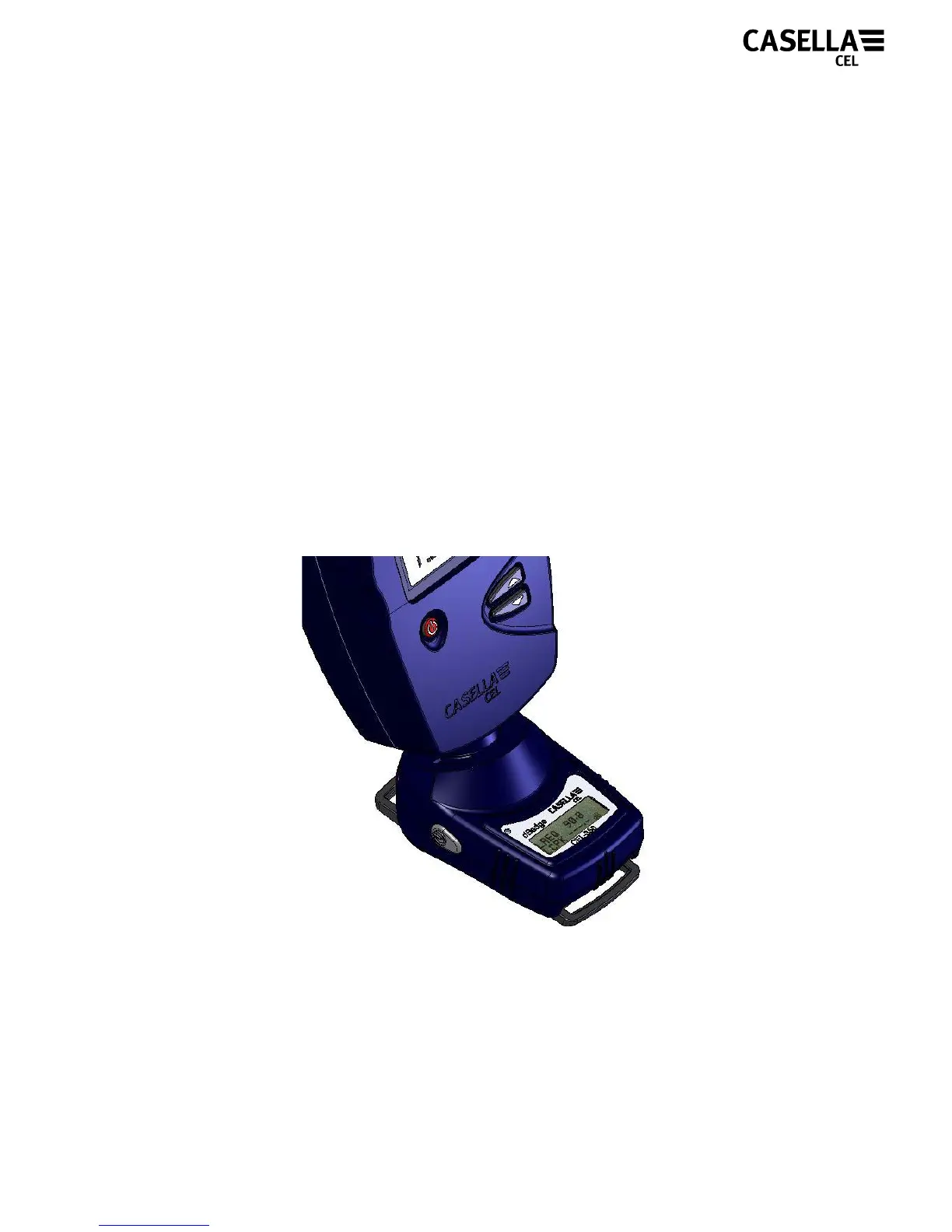
Push the CEL-110/2 acoustic calibrator over the microphone as
shown in Figure 11. The calibrator should be pushed on without
twisting.
Figure 11
The CEL-35X dBadge will automatically recognise a 1kHz
calibration tone is present and display the screen shown in Figure
12.


 To Next Page