Casella CEL-35X dBadge Users Handbook – Page 17
5.3 Starting A Measurement Run
Ensure the windshield is fitted according to section 3.4. The
windshield protects the microphone from any potential erroneous
results from wind, but also helps to protect from any dust ingress,
moisture or impact damage. Before taking a measurement run,
ensure there is sufficient battery life and memory by looking at the
screen shown in Figure 9. If necessary charge the dBadge as
described in section 4.1 and clear the memory as described in
section 5.6, or download the dBadge to dB35 software.
Regardless of which display mode is selected (ISO or OSHA) ALL
parameters are stored simultaneously and can be viewed via dB35
software.
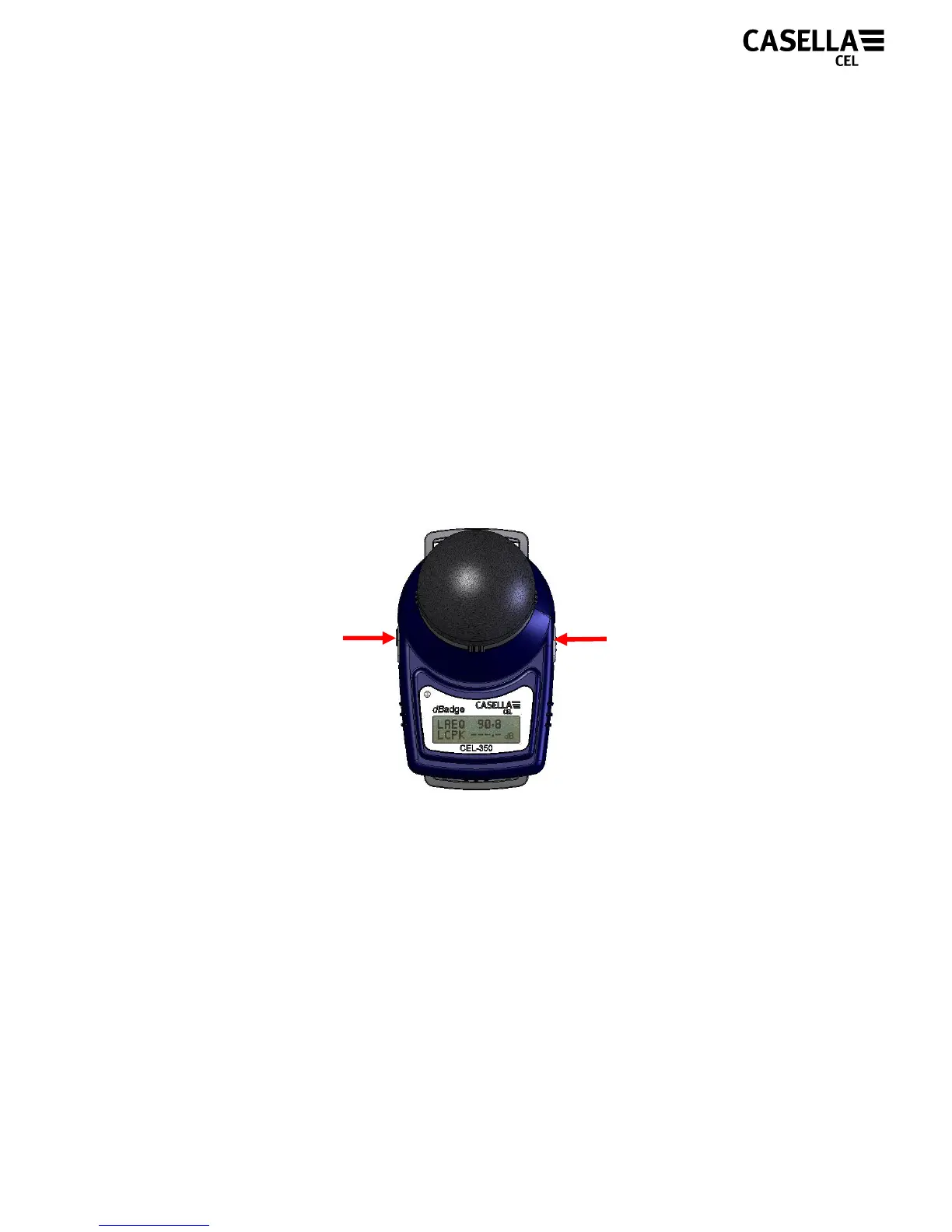
To start the measurement run, press and hold both the ‘L’ and the
‘R’ keys down together for 3 seconds as shown in Figure 15.
Figure 15
When these keys are held down together the display on the
dBadge will begin a count down, as shown in Figure 16. The keys
must be held down during the countdown for the measurement run
to begin.
Press and hold
for 3 seconds
Press and hold
for 3 seconds



 To Next Page