Introduction
4
Introduction .......................................................................................... 2
Unpacking the register......................................................................................................... 6
Getting Started ..................................................................................... 8
Remove the cash register from its box ................................................................................ 8
Remove the tape holding parts of the cash register in place............................................... 8
Install the three memory backup batteries........................................................................... 8
Plug the cash register into a wall outlet ............................................................................. 10
Insert the mode key marked "PGM" into mode switch ...................................................... 10
Turn the mode key to the "REG" position .......................................................................... 10
Install receipt/journal paper ............................................................................................... 10
To load 1-ply paper for printing of receipts.............................................................................. 11
To load 1-ply paper for printing of journal ............................................................................... 12
To load 2-ply paper for printing of receipts.............................................................................. 13
Set the date ....................................................................................................................... 14
Set the time ....................................................................................................................... 14
Select printouts receipt or journal ...................................................................................... 14
Programming automatic tax calculation............................................................................. 15
Programming the U.S. Tax Table procedure ........................................................................... 15
Programming Canadian Tax table procedure ......................................................................... 20
Setting the store telephone number .................................................................................. 21
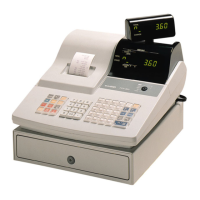
Introducing PCR-360.......................................................................... 22
General guide .................................................................................................................... 22
Mode key, Mode switch .......................................................................................................... 23
Drawer .................................................................................................................................... 23
Displays .................................................................................................................................. 25
Keyboard ................................................................................................................................ 26
Basic Operation and Setups ............................................................. 28
How to read the printouts .................................................................................................. 28
How to Use Your Cash Register ........................................................................................ 29
Displaying the time and date .................................................................................................. 30
Preparing coins for change ..................................................................................................... 30
Preparing and using department keys ............................................................................... 31
Registering department keys .................................................................................................. 31
Programming department keys............................................................................................... 33
Registering department keys by programming data ............................................................... 35
Preparing and using PLUs................................................................................................. 36
Programming PLUs ................................................................................................................36
Registering PLUs .................................................................................................................... 38
Preparing and using discounts .......................................................................................... 40
Programming discounts .......................................................................................................... 40
Registering discounts ............................................................................................................. 41
Preparing and using reductions ......................................................................................... 42
Programming or reductions .................................................................................................... 42
Registering reductions ............................................................................................................ 43
Calculating the merchandise subtotal................................................................................ 44
Contents


 To Next Page