PAGE
55
55
5
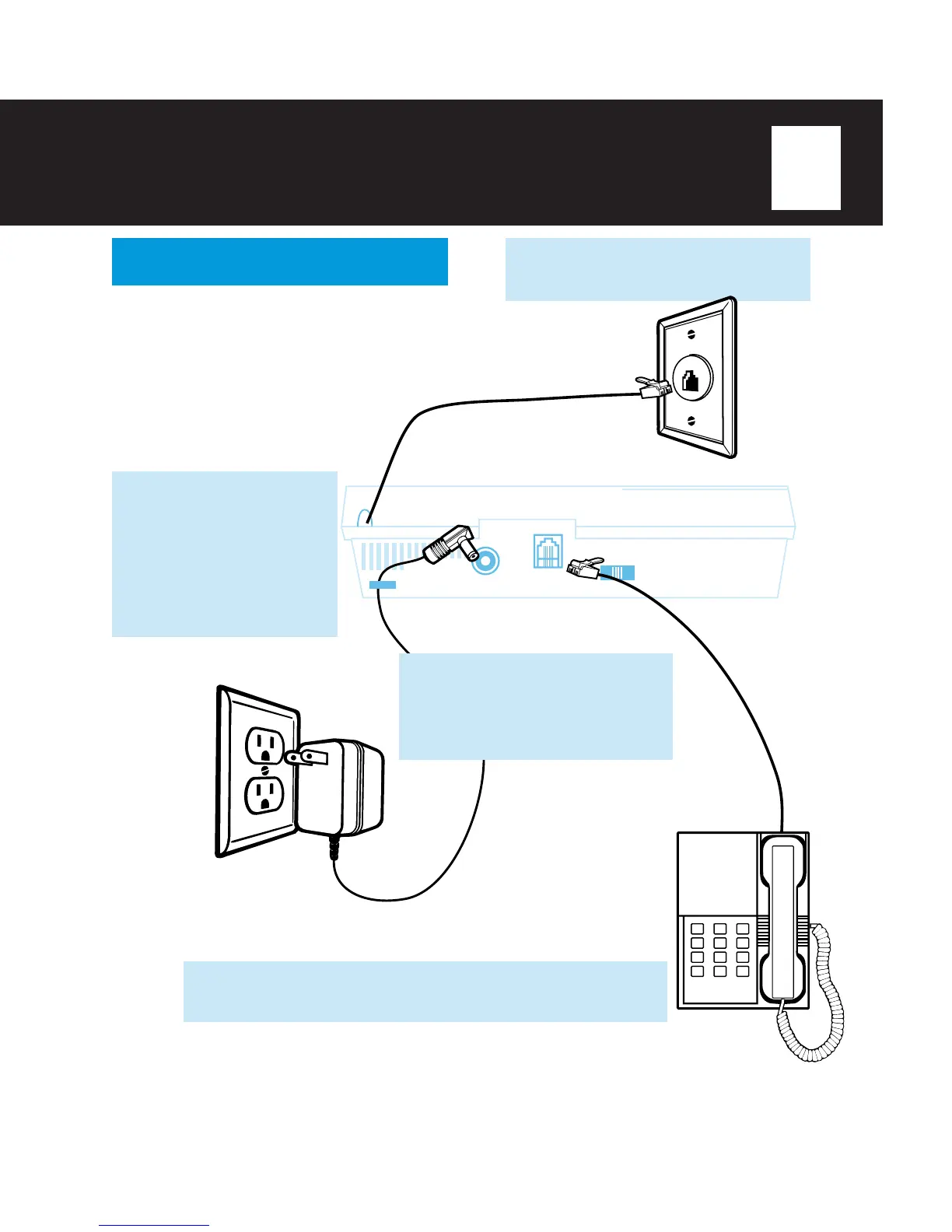
CONNECT YOUR TA-150
INSTALLATION
2
CONNECT
the AC
Adapter Plug into the AC
Adapter Outlet on the
back of the TA-150.
LOOP
the cord through
the AC Adapter Cord
Holder to prevent
accidental disconnection.
TO TELEPHONE
RINGS
2 4 TS
USE ONLY WITH
PHONEMATE
ADAPTOR MODEL N/M-40
TO WALL
JACK
1
ABC
2
DEF
3
GHI
4
JKL
5
MNO
6
PRS
7
TUV
8
WXY
9
0
*
#
Since the TA-150 can be programmed to ring
and you can answer calls using the speaker-
phone, you may choose to place the TA-150 in
a different location from your telephone.
(See page 6 for RINGER ON/OFF, or page 22
for the SPEAKERPHONE.)
3
PLUG
the AC Adapter into an
electrical wall outlet. The
MULTIFUNCTIONAL DIGITAL
DISPLAY will flash: “GREETING
1” and “12:00 AM”.
4
OPTIONAL:
CONNECT
the cord from your telephone to the
TA-150’s outlet labeled “To Telephone”.
1
PLUG
the TA-150’s telephone cord
into a telephone wall jack.



 To Next Page