PLAYBACK
E-106
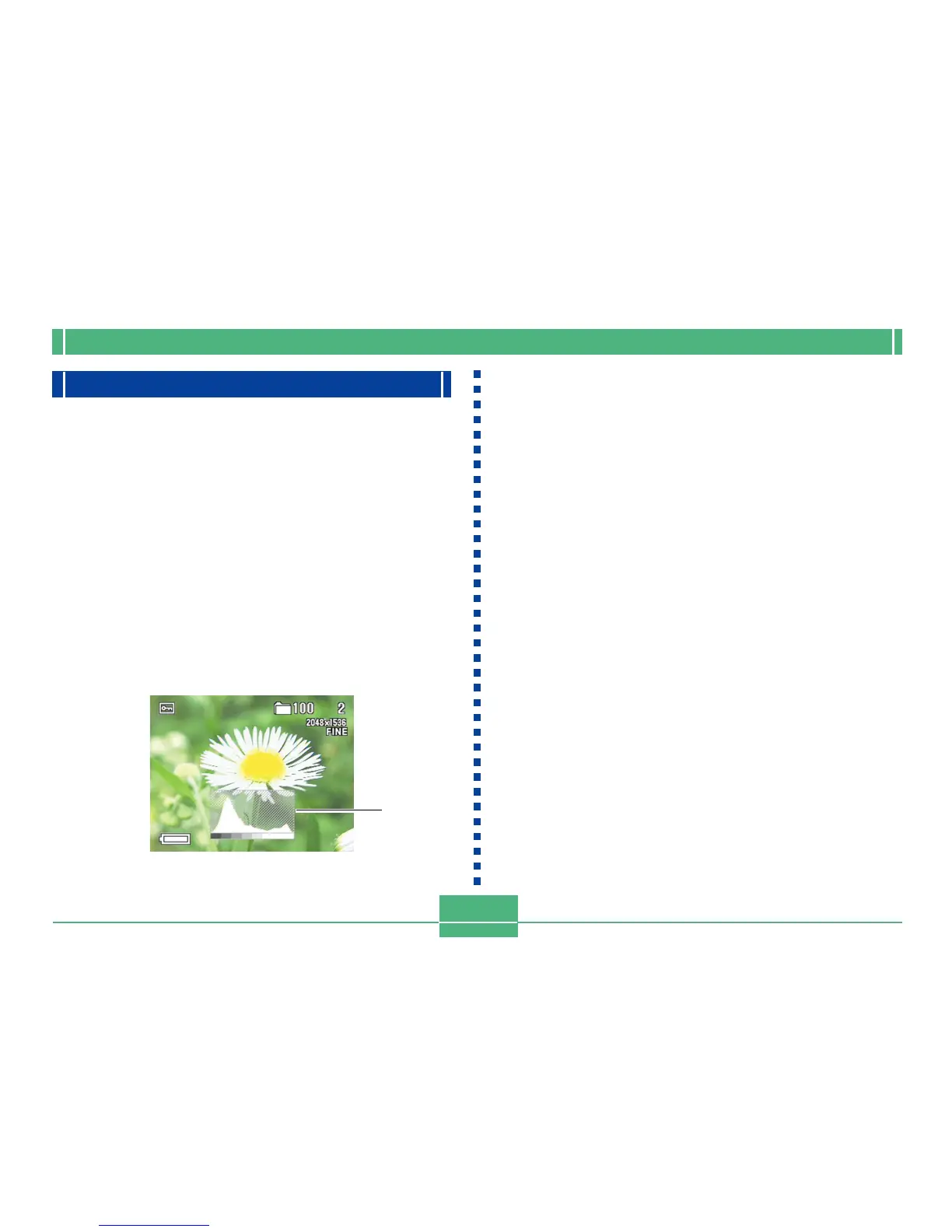
Displaying the Histogram
The following procedure displays a histogram of an image's
luminance components. The histogram is a tool you can use
to check the exposure of an image.
1.
Align the POWER/Function Switch with PLAY.
2.
Use [] and [] to display the image whose
histogram you want to view.
3.
Press SET/DISP a number of times until the
histogram appears.
• See "Changing the Contents of the Monitor Screen"
on page E-27 for information about how the monitor
screen contents change when you press the SET/
DISP button.
4.
Use [] and [] to scroll to another image if
you want.
5.
To exit the histogram, press SET/DISP a num-
ber of times.
IMPORTANT!
• The histogram does not appear during movie play-
back (page E-101).
• In the case of a panorama image (page E-102), the
histogram is displayed for the first image of the pan-
orama only.
• Use of the flash or multi-metering, as well as certain
shooting conditions can cause the histogram to indi-
cate exposure that is different from the actual expo-
sure of the image when it was recorded.
About the histogram...
The histogram is a graph of pixel luminance levels in terms
of the number of pixels. The vertical axis represents the
number of pixels, while the horizontal axis represents lumi-
nance. The information on the histogram can be used when
correcting or editing the image to determine whether image
details include enough shadows (left side) midtones (cen-
ter), or highlights (right side). The histogram also makes it
easy to visualize the color tone range of an image, which
makes it a valuable reference tool when touching up the im-
age.
Histogram



 To Next Page