MANAGING IMAGES
E-115
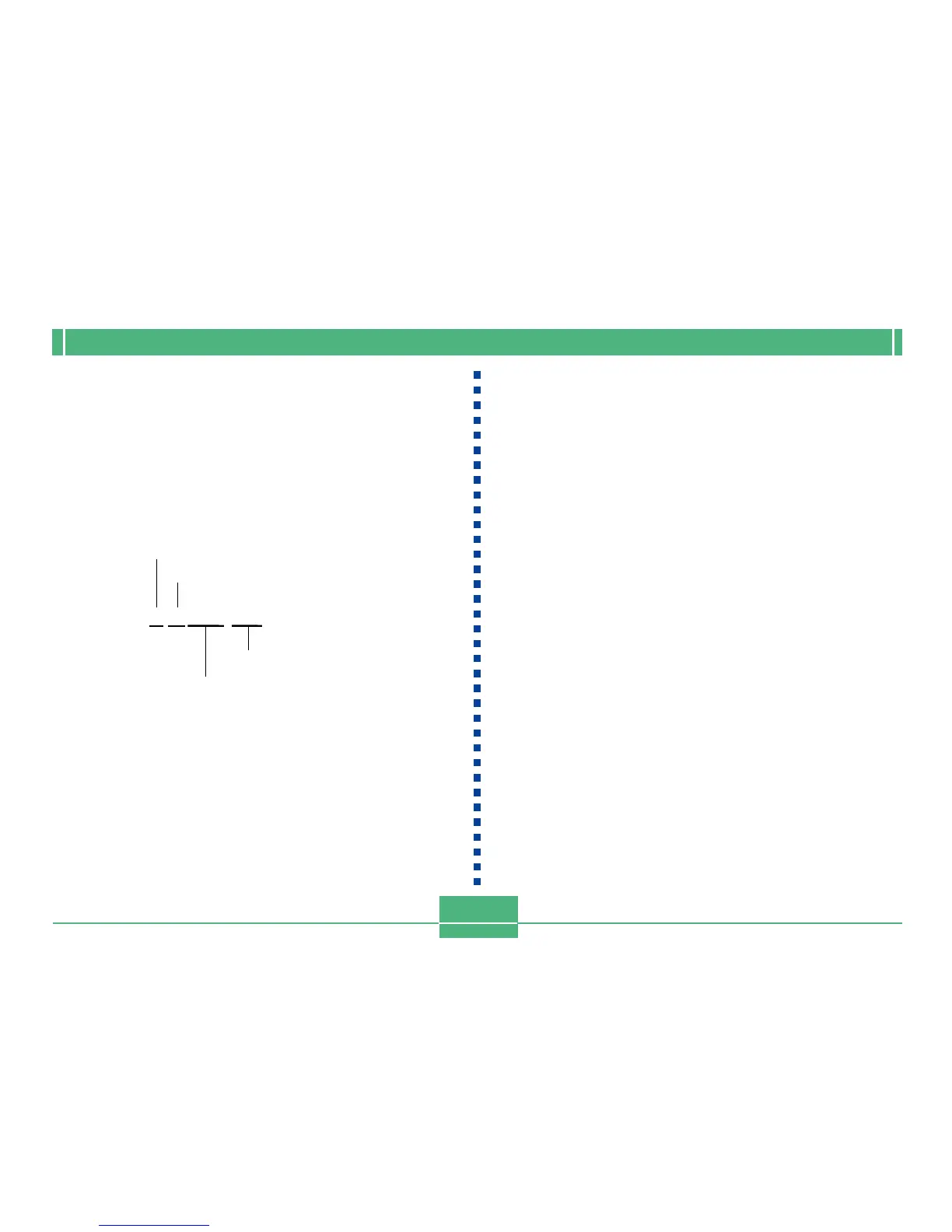
11070026.JPG
Month
Day
Serial number
Extension (.JPG/.TIF/.AVI)
Files
Each folder can contain up to 250 image files. If you try to
save the 251st image to a folder, the camera automatically
creates a new folder and stores the image there. The names
assigned to files are based on the current date, as shown
below.
Example: 26th image shot on November 7
• In addition to image files, memory cards also contain a
number of other files used by the system for image data
management.
• The actual number of files you will be able to store on a
memory card depends on the capacity of the card, image
quality settings, etc.
• Panorama images are stored as groups of multiple indi-
vidual images.
• If there are more than 250 image files in a folder (due to
copying from another digital camera or other source), only
the first 250 (in name sequence) can be played back.



 To Next Page