SE-S100 / PCR-T285 / PCR-T295
– 12 –
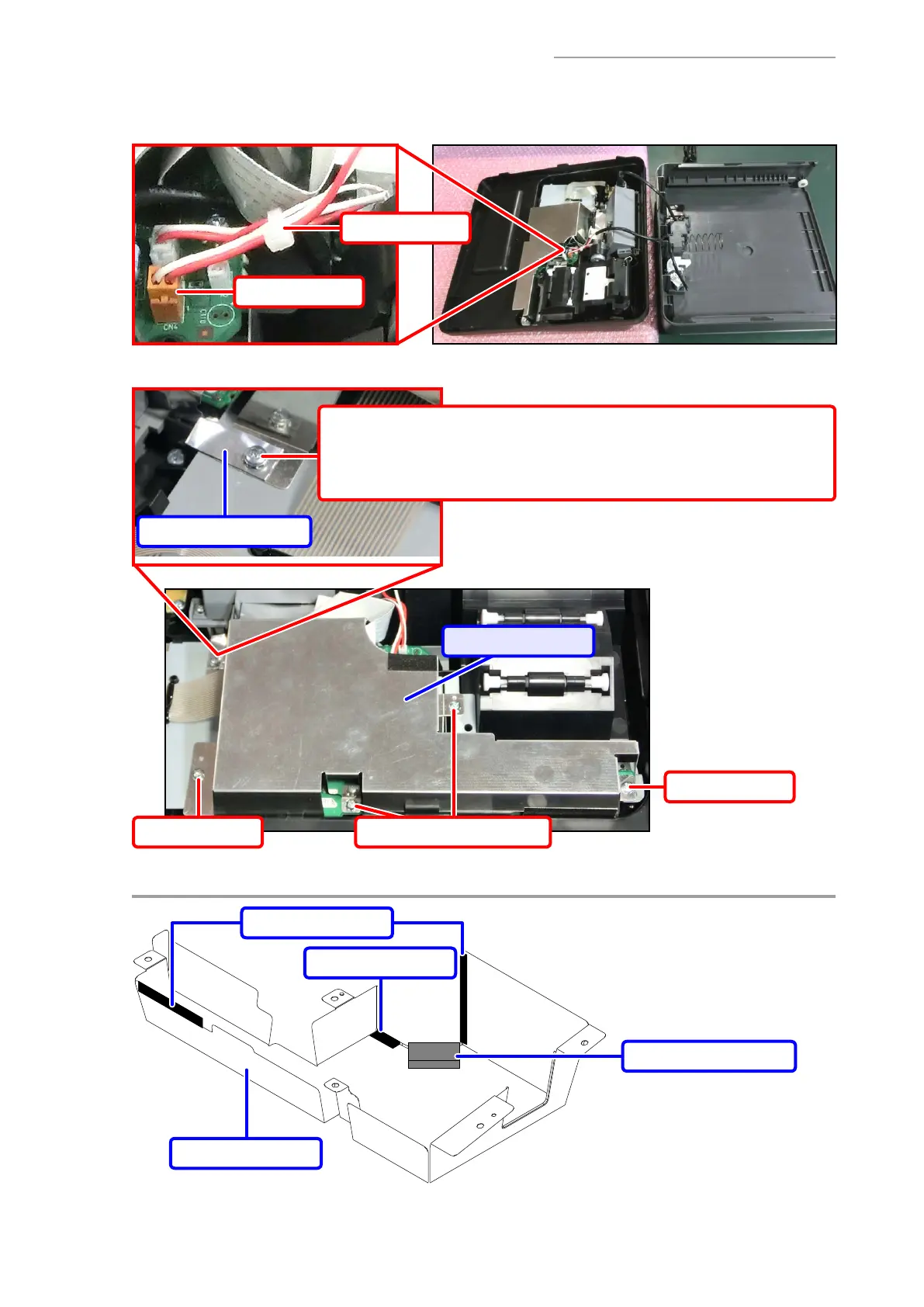
B-6. Remove the cable tie.
B-7. Disconnect the DRAWER connector.
Cable tie
Connector
B-8. Undo fi ve screws and remove the COVER/PCB.
Screws with Washers (S5)Screw (S1)
Screw (S4) + Washer
NOTES ON ASSEMBLY:
• Fasten together the SHEET/SHIELD/LCD and the COVER/PCB.
SHEET/SHIELD/LCD
COVER/PCB
Screw (S1)
Y
COVER/PCB
COVER/PCB
Cloth tape/19x25
Cloth tape/19x45
HOLD/ROM



 To Next Page
 Loading...