2
3
1
Appendix
4
SET
10
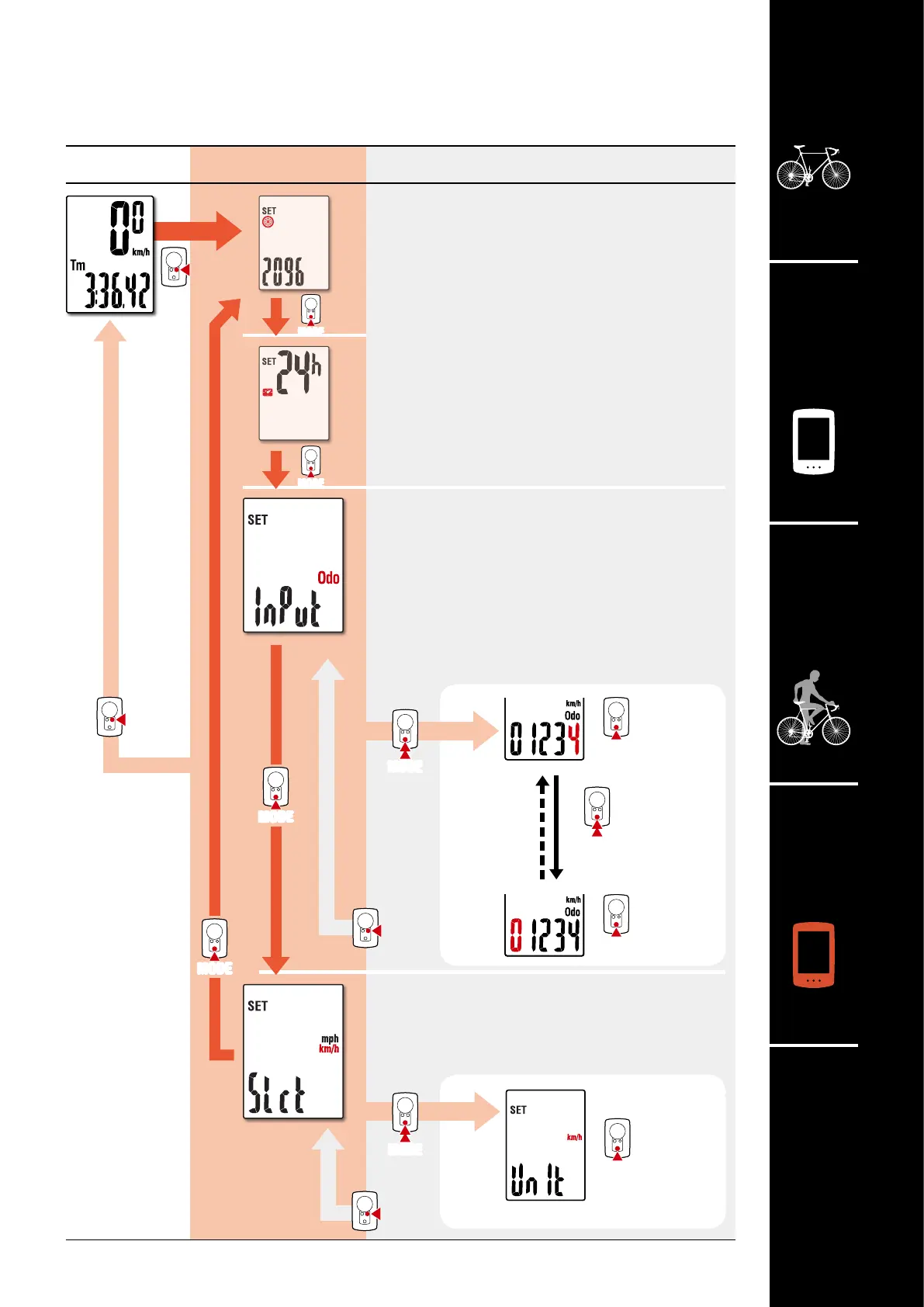
Select measurement unit
Lets you select the measurement unit (km/h or mph).
Manual distance input
Lets you set total distance traveled manually.
(Fractions cannot be entered.)
* Setting an arbitrary value for total distance allows
you to start from the value you entered.
This is useful when you have just purchased a new
bicycle or when replacing the computer battery.
km/h
↔
mph
Tire cir-
cumference
Clock
Increase
numbers
Increase
numbers
Changing settings
[Menu screen]
Measurement
screen
Menu screen Description
MODE
Change setting
Move to
next digit
(Press and hold)
(Press and hold)
(Press
and hold)
Change setting
Confirm
Confirm












 To Next Page