2
3
4
Appendix
SET
1
2
Mounting the computer
1
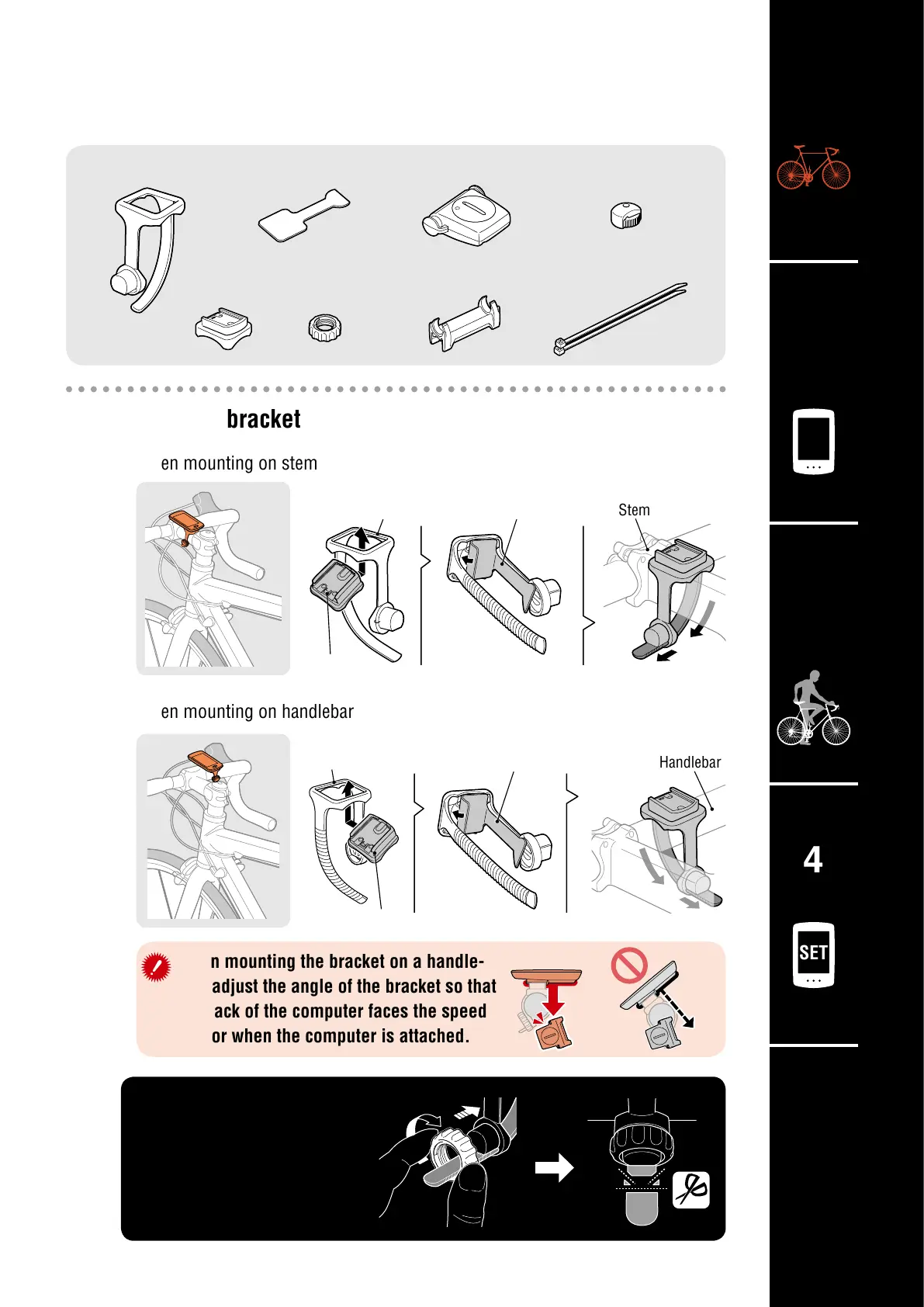
Mount the bracket
•
When mounting on stem
•
When mounting on handlebar
When mounting the bracket on a handle-
bar, adjust the angle of the bracket so that
the back of the computer faces the speed
sensor when the computer is attached.
Stem
Handlebar
Bracket band
Bracket band
Bracket
Bracket
Correct
Wrong
Bracket rubber pad
Bracket rubber pad
Cut
Bracket band
Bracket Dial
Bracket rubber pad Speed sensor
Sensor rubber pad
Nylon tie
(x2)
Magnet
Cutting band after mounting
CAUTION:
Cut the bracket band so
that cut end will not cause
injury.
Dial












 To Next Page