36
cdvigroup.com
CTV900A
2-Door Controller
INSTALLATION MANUAL
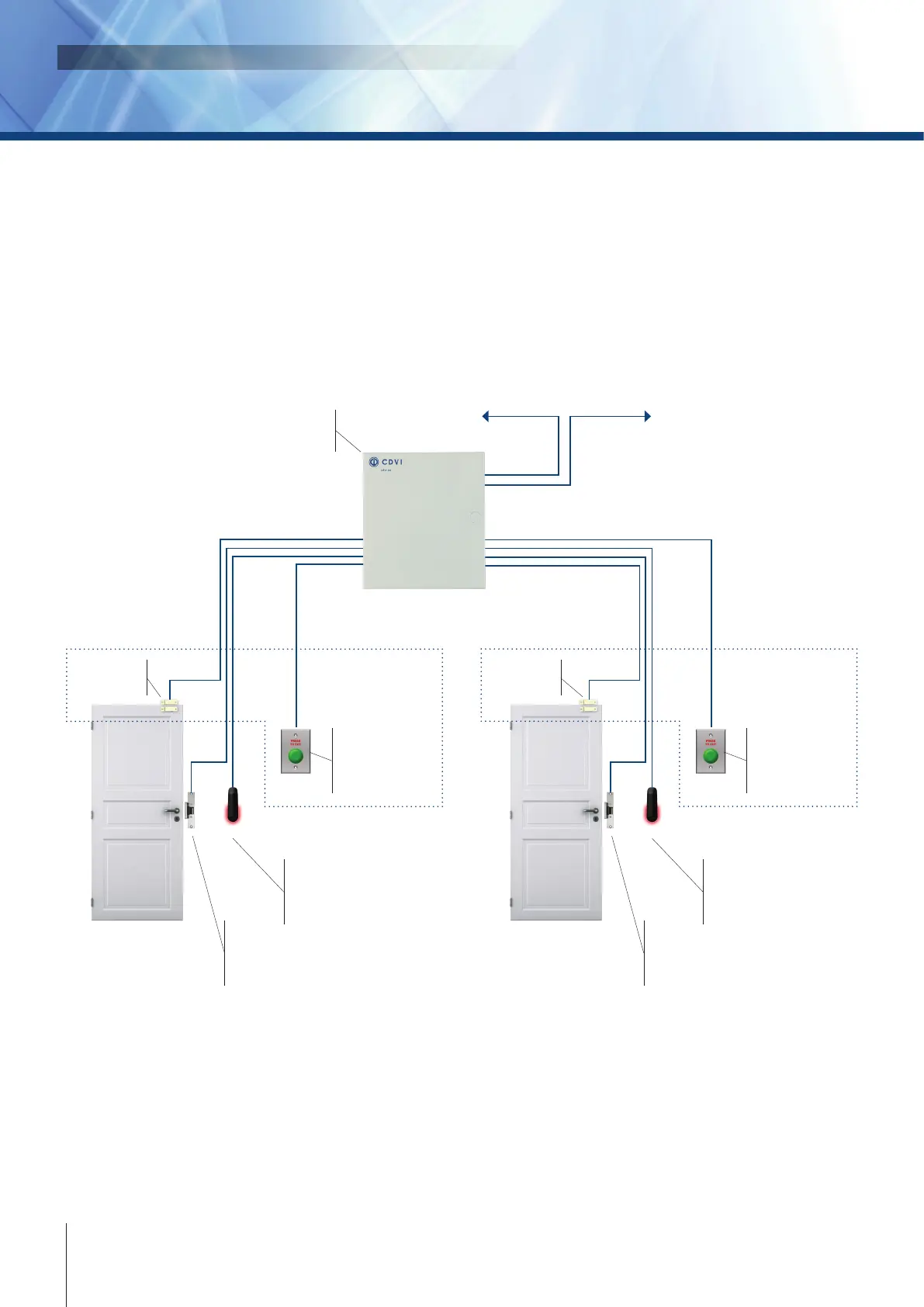
Controlled Entry with Free Exit
Entry through two doors can be controlled with one controller by installing a reader/keypad on one side of
each door. If the door status is monitored by a door contact (reed switch) then a “request to exit” (REX) device
such as a motion detector, push button or oor mat sensor must be used so that the system can dierentiate
between a door forced open and an authorized exit. The REX can be programmed for free exit according to a
specic schedule, otherwise a “door forced open” event will be generated.
RS485
Communicaon bus
CTV900A
2-Door Controller
Lock
Door Strike
or Electromagnet
(Mag Lock)
Entry
Idencaon
Wiegand Proximity Card
Reader, Biometric or Keypad
Lock
Door Strike
or Electromagnet
(Mag Lock)
Entry
Idencaon
Wiegand Proximity Card
Reader, Biometric or Keypad
Door Contact
(Needed for
door status)
Door Contact
(Needed for
door status)
Request-to-Exit
Exit Buon, Moon
Detector, Pull Staon,
oor mat sensor, etc.
Request-to-Exit
Exit Buon, Moon
Detector, Pull Staon,
oor mat sensor, etc.
Devices inside
protected area
Devices inside
protected area
To server (PC) To next controller



 To Next Page