32
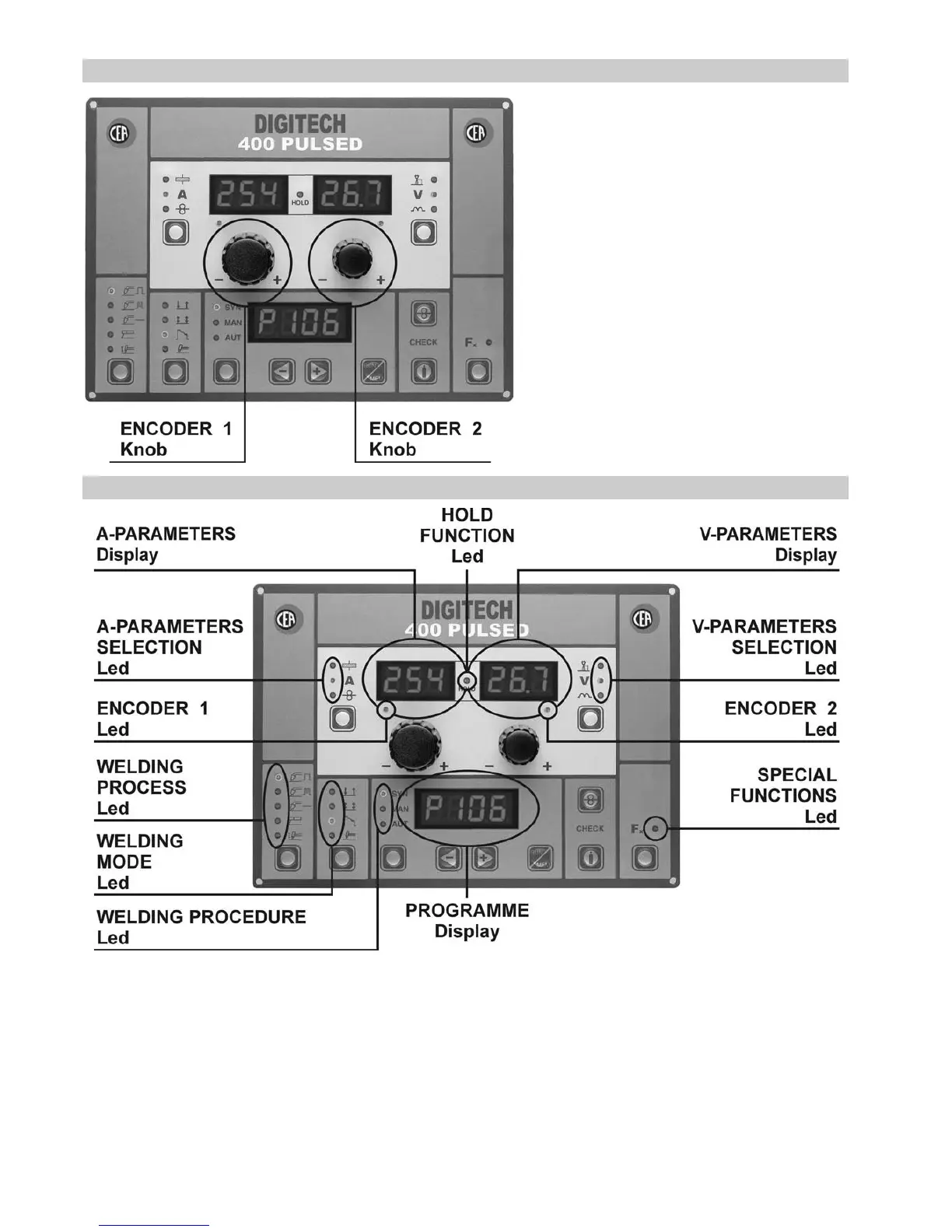
DISPLAY AND LED INFORMATION
A - PARAMETERS SELECTION Led
WELDING PROCESS Led
WELDING PROCEDURE Led
SPECIAL FUNCTIONS Led
V- PARAMETERS SELECTION Led
When these leds are on it means that the corresponding param-
eter has been selected (function activated) and its value is viewed
on the reference display.
WELDING MODE Led
When these LEDs are on, this means that the corresponding pa-
rameter has been selected (function active), the value for which is
displayed on the designated screen.
KNOB CONTROLS
ENCODER 1 Knob
This encoder is used to change values of parameters (if
active) on the A- PARAMETERS Display.
ENCODER 2 Knob
This encoder is used to change the values of param-
eters (if active) on the V- PARAMETERS Display.











 To Next Page