53/60
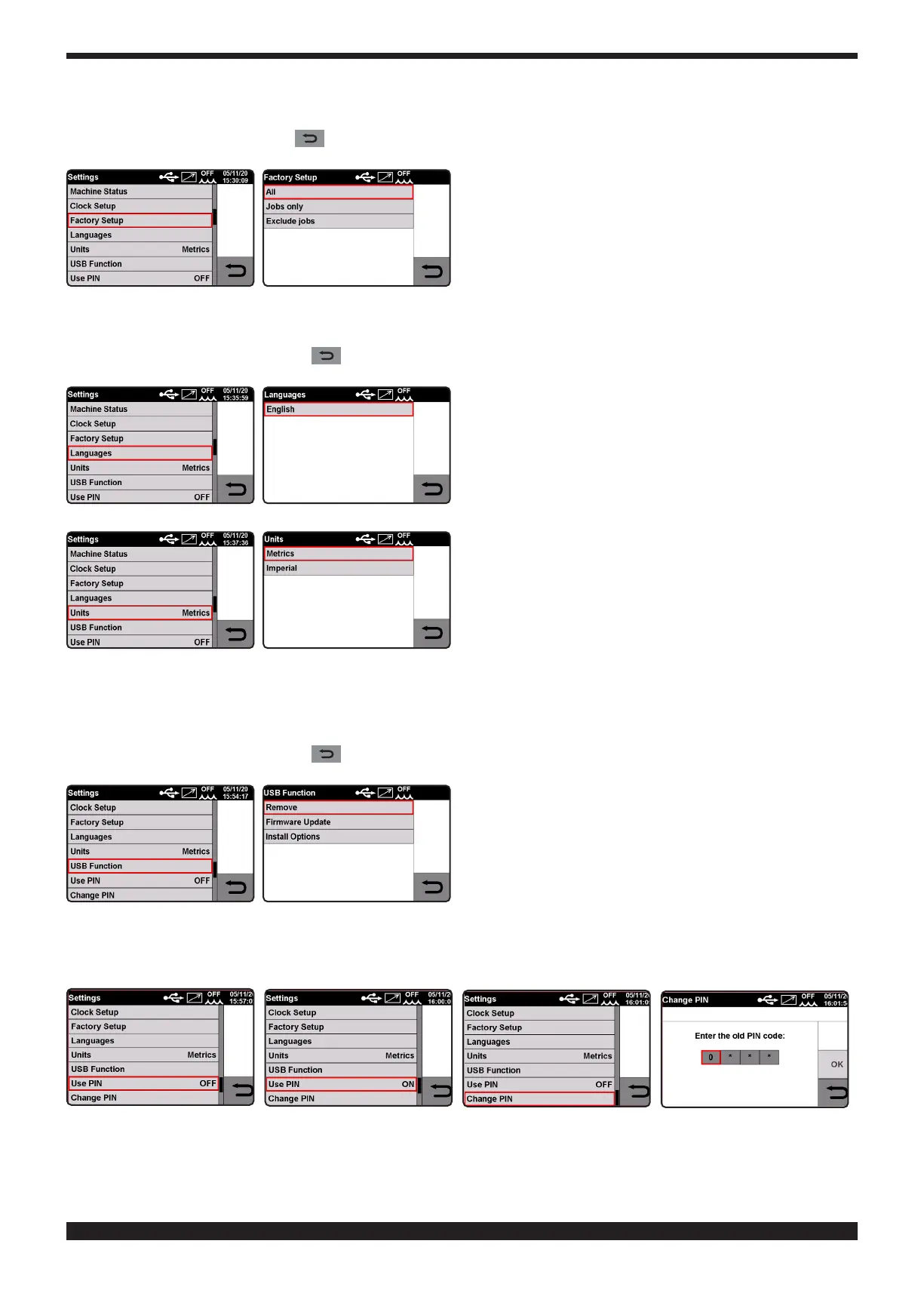
Turn knob 2 to select the function and conrm the selection by holding down the knob.
To conrm the value simply hold down the knob 2�
To exit the function press the key
• Languages� Language selection.
Turn knob 2 to select the function and conrm the selection by holding down the knob.
To conrm the language simply hold down knob 2�
To exit the function press the key
• USB Port Management�
This function is activated only when a USB key is plugged into connector 6.
Turn knob 2 to select the function and conrm the selection by holding down the knob.
To conrm the selection simply hold down knob 2�
To exit the function press the key
• Use PIN
A lock code can be used to stop the use of PROCESSES, MATERIALS and PARAMETERS.







 To Next Page