52/60
• Rules for using the push-pull torch�
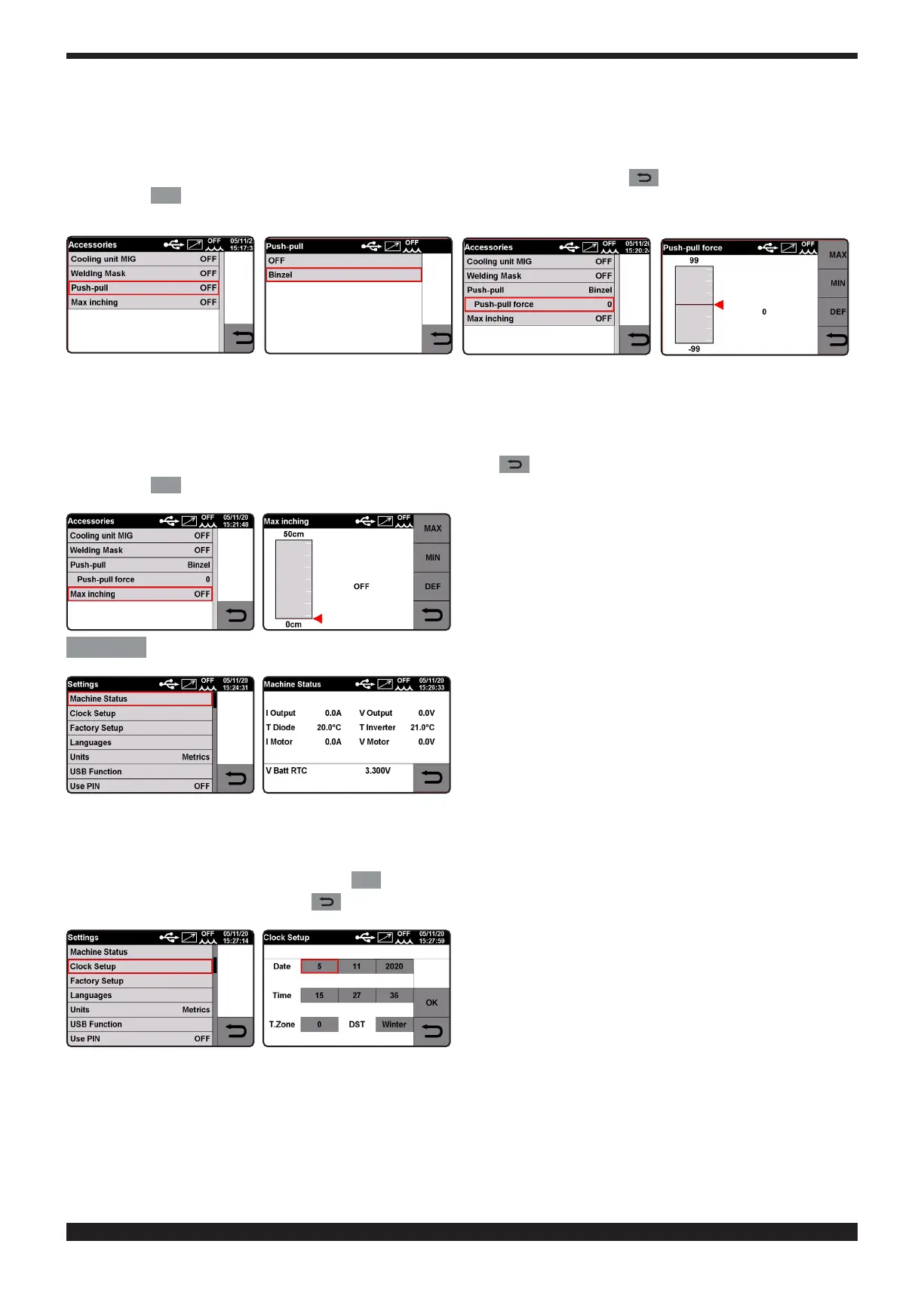
Adjusting the push-pull force (ranging from -99 to +99).
This function adjusts the drive torque of the push-pull motor in order to make the wire feed linear.
Turn knob 2 to select the parameter and conrm the selection by pressing the knob.
Adjust the value by turning knob 2� To conrm the selection press knob 2 or key .
Press the
DEF
key to restore factory settings.
This function will be displayed on the screen only after this accessory is assembled inside the power supply�
• Maximum feed.
The purpose is to stop the welding machine if the wire emerges for the preset length in cm after starting with no passage
of current. Adjustment OFF - 50 cm.
Turn knob 2 to select the parameter and conrm the selection by pressing the knob.
To conrm the value, simply hold down the knob 2 or the key .
Press the
DEF
key to restore factory settings.
Settings
MACHINE SETTINGS MENU�
• Date and Time Setting.
Turn knob 2 to select parameter "Clock" and conrm the selection by holding down the knob.
Adjust values by turning knob 2 and conrm by pressing.
To conrm date and time press the key
OK
To exit the function press the key .
• Resetting factory settings.
This function resets the factory preset values. Three resetting modes are possible:
- All.
- Resets only stored "job" working programs.
- Excludes the "jobs": Resets all but saves "Job" working programs.







 To Next Page