23
Flange plane
ENGLISH
Use and maintenance manual
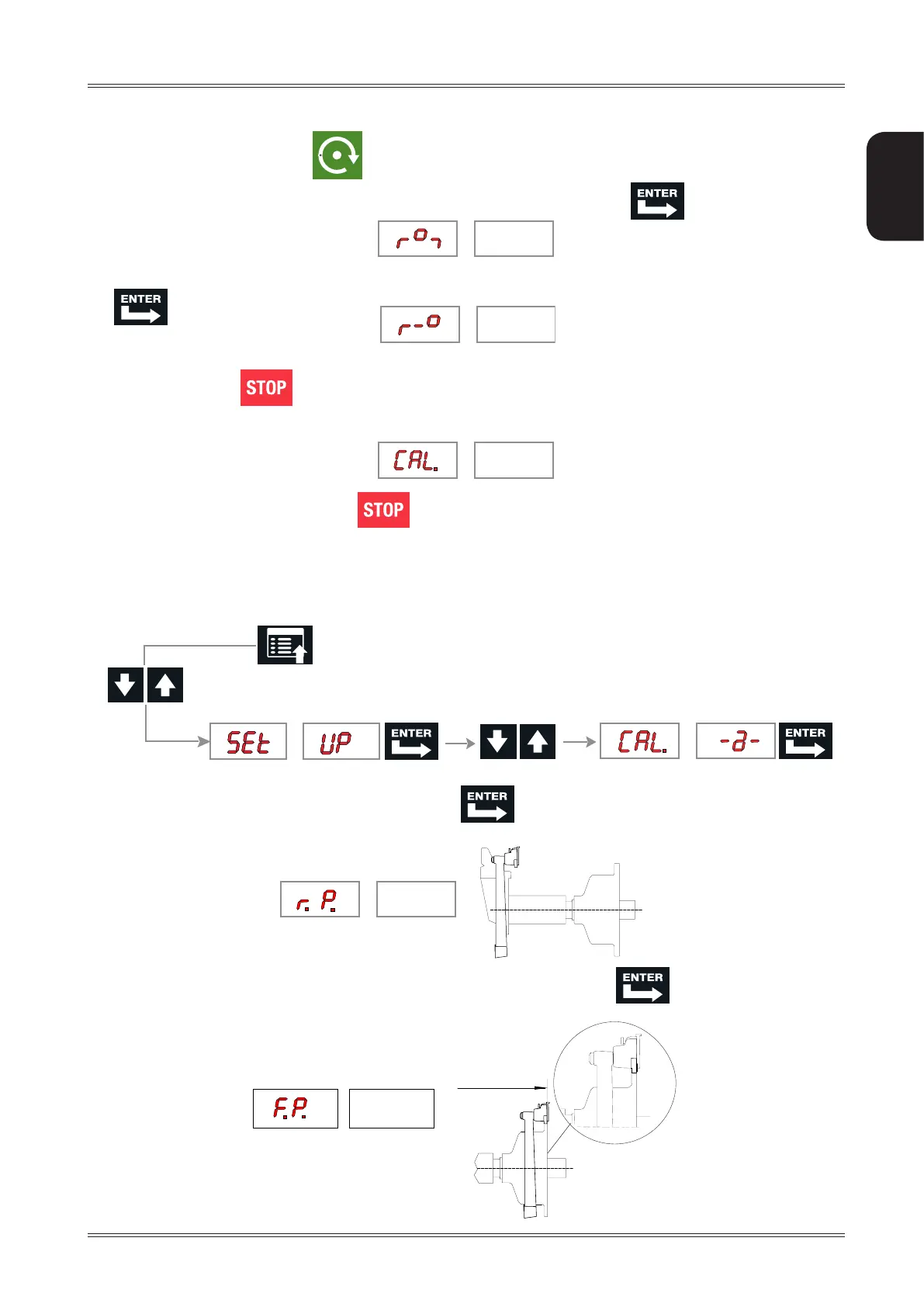
Close the guard and press the button to perform a spin.
4. Turn the wheel until the standard weight is at the top (12 o’clock) and press .
5. Turn the wheel until the sample weight is in correspondence to the centre-line of the weight clip and press
.
Pressing the button a default value is set.
CALIBRATION COMPLETE
To cancel calibration at any time, press
7.4 AUTOMATIC GAUGES CALIBRATION
7.4.1 Distance gauge calibration
1. Display the distance gauge CALIBRATION function from the SETUP menu
2. Leave the distance gauge in rest position and press
3. Move the distance gauge pusher in line with the adapter surface and press
Setup


 To Next Page