page 15 www.centsys.com
5.4. Starting and Running Forces
NEW SITE INSTALLATION PREPARATIONSECTION 5
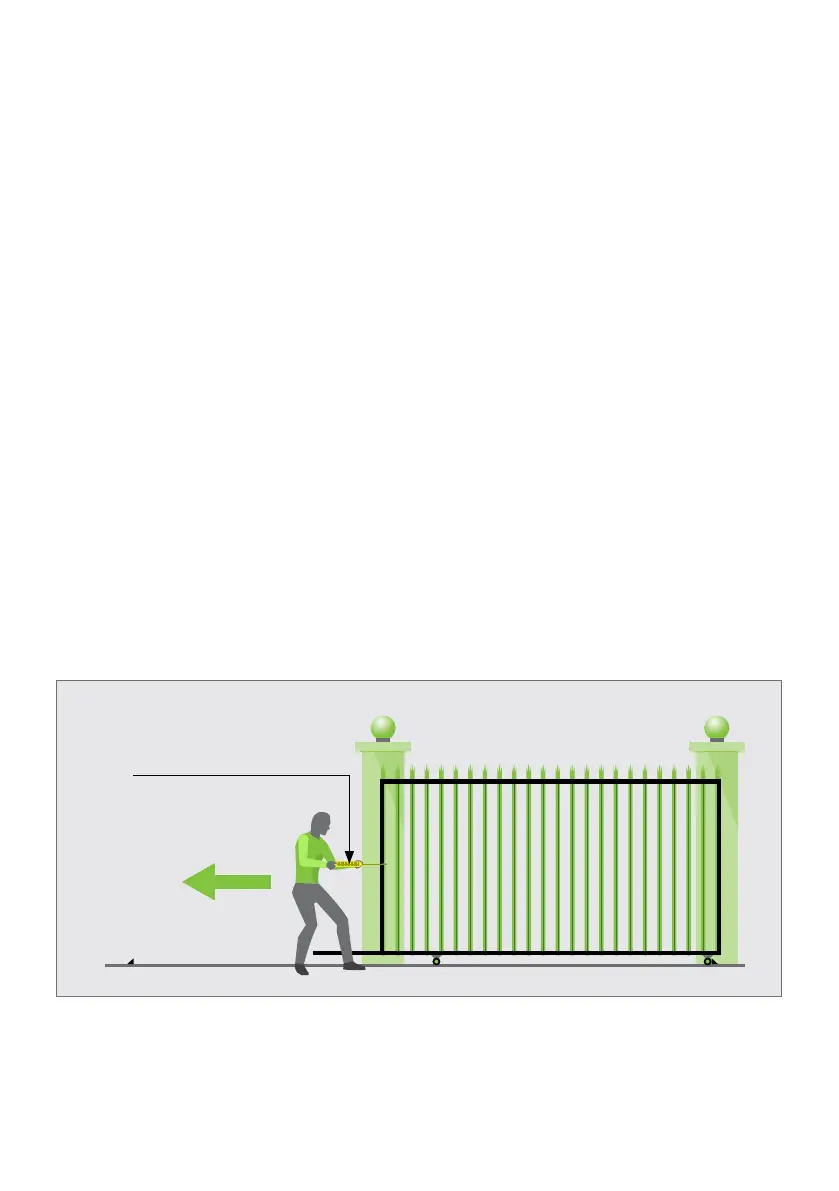
Test the starting force of the gate as per Figure 6. Use a pull scale in both directions to
determine the maximum amount of pull force required to set the gate in motion.
Determine the running force of the gate by continuing to pull on the scale with just
sucient force to keep it running.
Read and note the maximum value in kgf (kilogram-force) shown on the scale.
Where possible, determine the gate mass.
Our warranty will be void if the pull force and / or gate mass exceeds the below operator
specications:
D10 SMART
• Starting force - 40kgf
• Running (rated) force - 30kgf
• Maximum gate mass - 1000kg
D10 Turbo SMART
• Starting force - 24kgf
• Running (rated) force - 18kgf
• Maximum gate mass - 250kg
D20 SMART
• Starting force - 52kgf
• Running (rated) force - 39kgf
• Maximum gate mass - 2000kg
FIGURE 6. STARTING AND RUNNING FORCES
Pull Scale



 To Next Page