page 28 www.centsys.com
OPERATOR INSTALLATIONSECTION 7
FIGURE 27
FIGURE 28
Locked Locked
Unlocked
Locked
Unlocked
Unlocked
AA
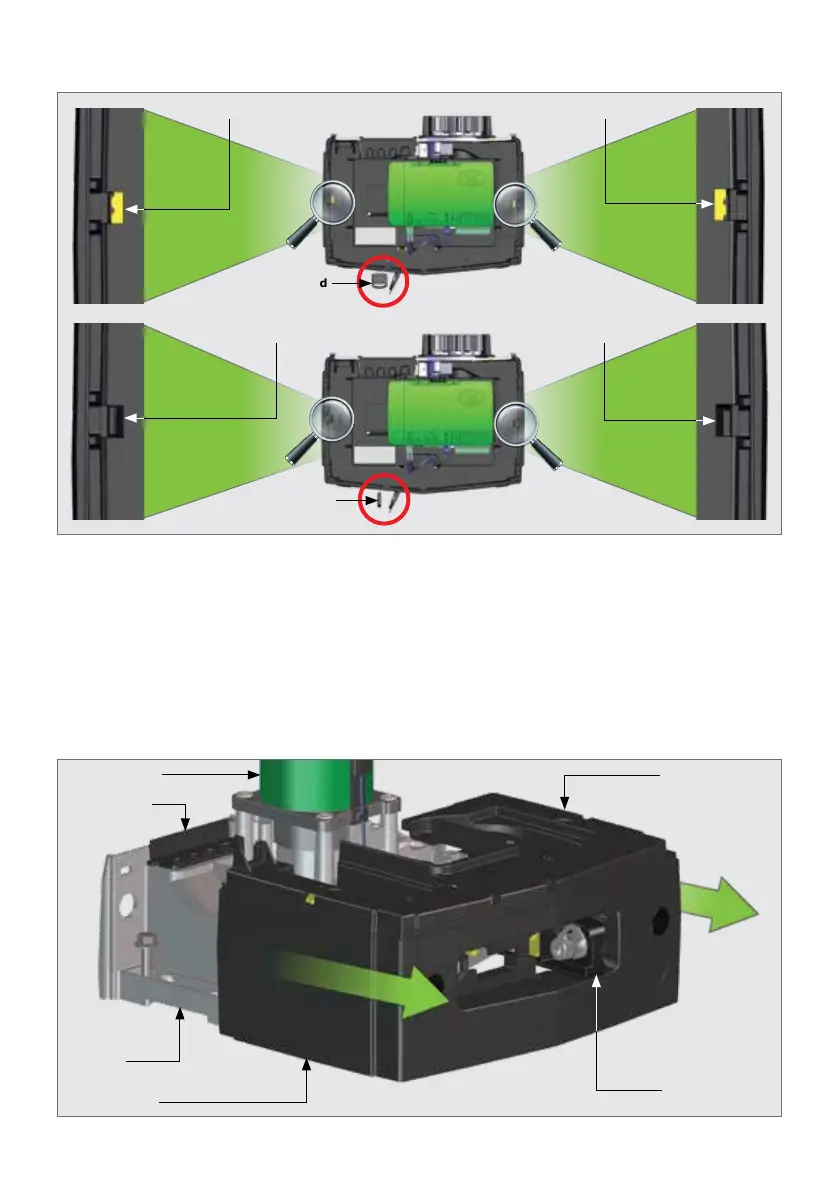
7.4.2. Removing the Gearbox Trim and Battery Tray Assembly
To remove the Gearbox Trim with the battery tray, rstly ensure that the Camlock is in
the "unlocked" position (Figure 27 marked as "A").
Open the Manual Override Lever so that it is in the 90° position. Remove the Camlock
Key, and keep it in a safe place. Hold the gearbox trim on both sides rmly and pull the
entire assembly forward with a slight tug towards the front of the D10 SMART / D10
Turbo SMART / D20 SMART. It will unclip from the rear of the gearbox. Manoeuver it
over the Manual Override Lever to remove it completely o the gearbox.
Gearbox Trim
Gearbox
Electric Motor Lower Battery
Tray
Cable Shield
Manual Override
Lever



 To Next Page