30
USING THE DOOR CONTROL
SYNCHRONIZETHEDOORCONTROL
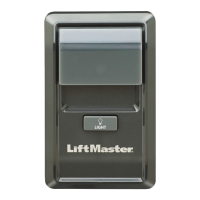
To synchronize the door control to the garage door opener,pressthe push bar until the garage door
opener activates (it may take up to 3 presses).Test the door control bypressing the push bar,each
press of the push bar will activate the garage door opener.
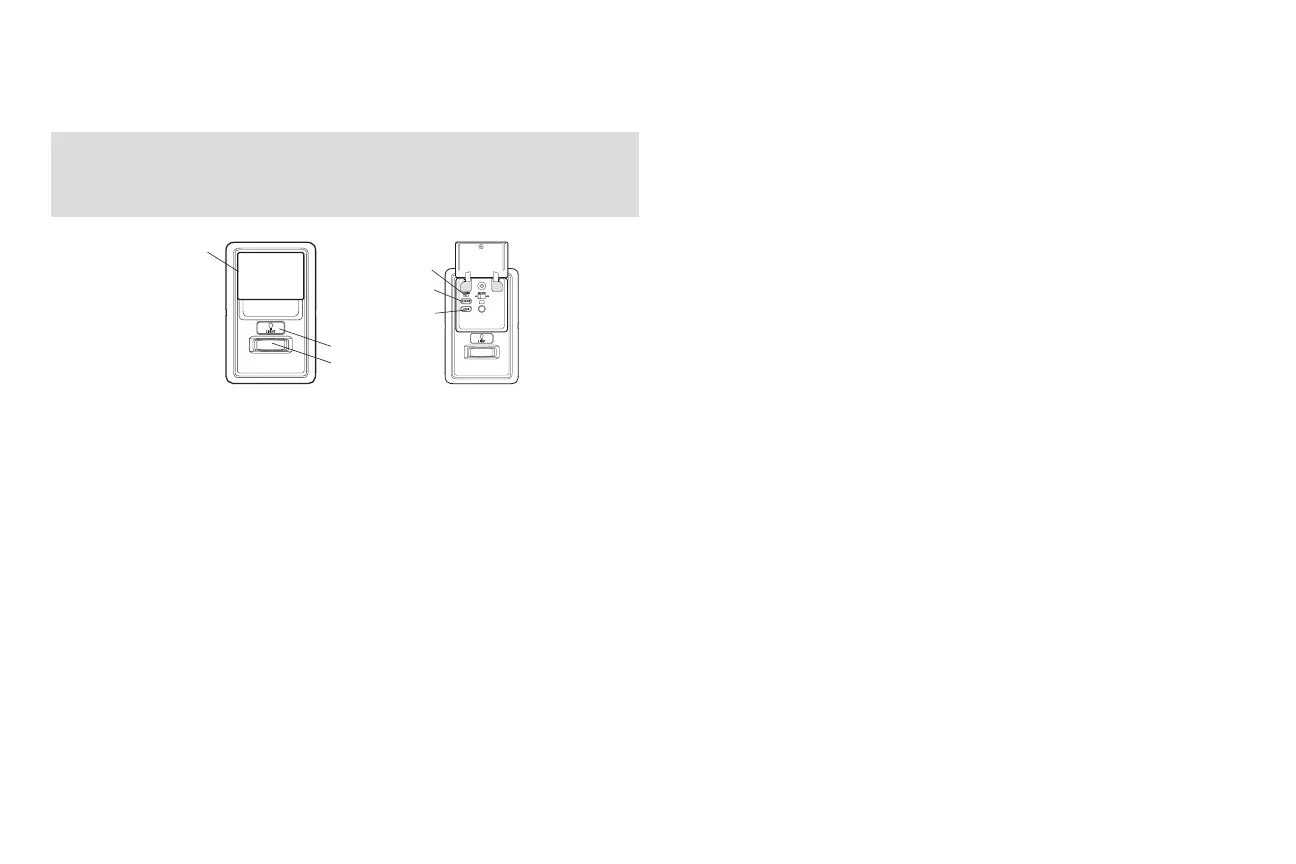
Push Bar
LIGHT Button
Motion Sensor
SERVICE LED
LOCK Button
LEARN Button
PUSH BAR
Press the push bar to open or close the door.
LIGHT BUTTON
Press the LIGHT button to turn the garage door opener lights on or off. When the lightsare turned on
they will stay on until the LIGHT button is pressed again,or until the garage door opener is activated.
Once the garage door opener is activated the lights will turn off after the specified period of time (the
factorysetting is 4-1/2 minutes). The LIGHT button will not control the lights when the door is in motion.
HOLDOPEN
To temporarilysuspend the Timer-To-Close (TTC) feature pressand release the HOLDOPENbutton
(the HOLDOPENbutton will lightsolid). Pressthe HOLDOPENbutton again to resume normal
TTCoperation.
The following features are accessible by lifting up the push bar:
LEARN A DEVICE
Any compatible remote controls,wirelesskeylessentry, or MyQ™ accessories can be programmed to
the garage door opener bypressing the LEARNbutton, see page 32.
LOCK
The LOCK feature is designed to prevent activation of the garage door opener from remote controls
while still allowing activation from the door control and keyless entry. This feature is useful for added
peace of mind when the home is empty (i.e.vacation).
TIMER-TO-CLOSE (TTC) (881LMONLY)
DO NOT enable TTC if operating a one-piece door.TTC is to be used ONLY with sectional doors.
Factorydefault issetto off.TTC can be set to automatically close your garage door from the fully open
position after a specified period of time (1,5, 10 minute intervals). The garage door opener will beep
and the lights will fl ash before closing the door.The screen on the door control can display the status of
the TTC. TTC WILL NOT workif the garage door opener is operating by batterypower or if the safety
reversing sensors are misaligned.This feature is NOT intended to be the primary method of closing the
door.A keyless entry should be installed in the event of an accidental lock out when using this
feature.
NOTE: Before enabling the TTC for the first time, or if you experience a power outage, cycle the garage
door opener open and closed to allow the TTC to set.
AUTOMATIC LIGHT
Motion Sensor
Factorydefault issetto on.Thisfeature will automaticallyturn on the garage door opener lights when
motion is sensed. The lights will come on for the set period oftime,then shut off.
The lights will turn on when someone entersthrough the open garage door and the safety reversing
sensor infrared beamis broken.If using the garage door opener lightas a work lightdisable the
Automatic LightFeature,otherwise the lightwill turn offautomaticallyif you are beyond the range of the
sensor.
MAINTENANCE ALERT (MAS)
This feature assiststhe homeowner in ensuring the garage door opener system staysin good working
condition. The MAS feature MUSTbe activated at time ofinstallation.The factorysetting is off.The
service LEDwill come on after 4500 garage door opener cycles. This indicates the garage door opener
mayneed maintenance; contactyour installation dealer. Ifthe MASfeature is activated,the command
LED (yellow) and the service LED (red) will alternate flashing back and forth.
Door Control






 To Next Page