31
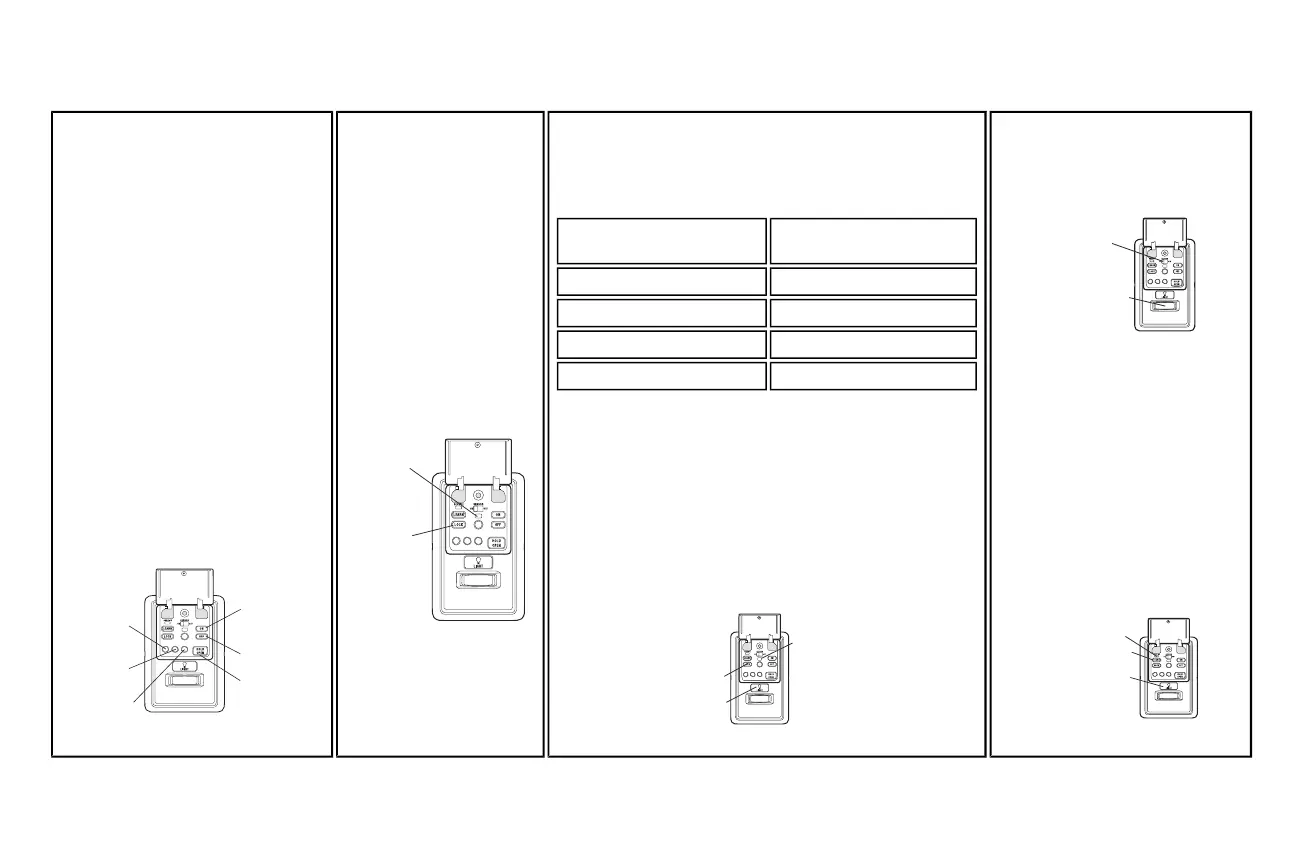
TIMER-TO-CLOSE (TTC)
(881LMONLY)
NOTE: DONOTenable TTC if operating a
one-piece door. TTCis to be used ONLY
sectional doors.
Activate:
Press and hold the ONbutton until one of the
TTCLEDs light up.Then press the ONbutton
again to cycle through the time interval options
(the corresponding TTCLED will lightfor each
time interval).The garage door opener light
bulbswill blinkas confirmation.
Deactivate:
Press and hold the OFFbutton until all TTC
LEDs turn offand a beep isheard from the
motor unit.
Temporarily hold door open (suspend TTC):
Press and release the HOLDOPEN button.
Press the HOLDOPENbutton again to resume
normal TTC operation.
ON Button
OFF Button
HOLD OPEN
Button
1 Minute
TTC LED
5 Minute
TTC LED
10 Minute
TTC LED
LOCK
Activate:
Press and hold the LOCKbutton
for 2 seconds.The command
LEDwill flash as long as the lock
feature isactivated and your
handheld remote control will not
operate your garage door at this
time.
Deactivate:
Press and hold the LOCK button
again for 2 seconds.The
command LEDwill stop flashing
and normal operation will resume.
LIGHT
To change the amount of time the garage door opener lightswill stay on:
Press and hold the LOCK button until the garage door opener lights flash.*
The time interval isindicated bythe number of flashes.
Number of times garage door
opener lights flash
Times the garage door opener light
stays on
1 1 1/2 Minutes
2 2 1/2 Minutes
3 3 1/2 Minutes
4 4 1/2 Minutes
To cycle through the time interval repeatthe step above.
LIGHTFEATURE
Deactivate:
Press and hold the LIGHTbutton until the garage door opener lightsturn
on, then offagain.*
Activate:
Startwith the garage door opener lights on. Press and hold the LIGHT
button until the garage door opener lights turn off, then on again.*
NOTE: If the command LEDis continuously blinking, the LOCK feature
needs to be deactivated.
LOCK Button
LIGHT Button
Command LED
*
Approximately
10 seconds
MOTIONSENSOR
Activate/Deactivate:
Slide the motion sensor switch ON or OFF.
Motion Sensor
Switch
Motion
Sensor
MAINTENANCEALERT
SYSTEM (MAS):
Activate/Deactivate
Press and hold the LEARN button.Then
press the LIGHTbutton.The service
LEDwill flash the status; Active is 2 flashes
and deactivated is 3 flashes.
LEARN Button
LIGHT Button
Service LED
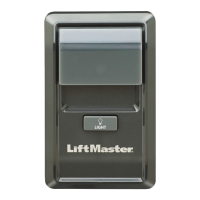
Door Control








 To Next Page