32
Your garage door opener has been programmed at the factory to operate with your remote control.To programadditional remote controls refer to the instructions provided with the additional remote controls or
visitwww.liftmaster.com.
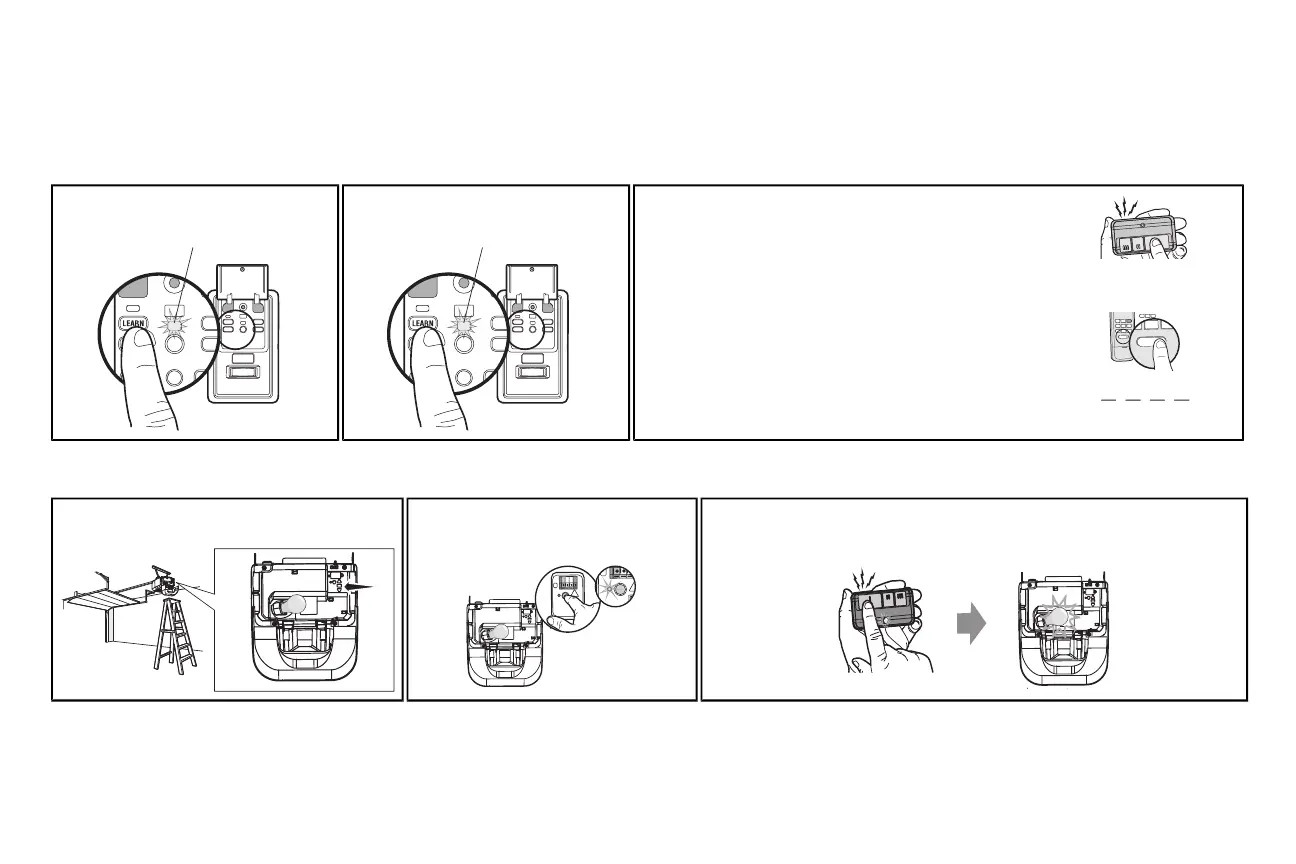
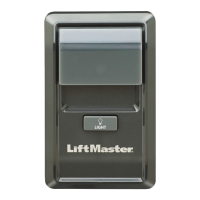
TO ADD, REPROGRAM, OR CHANGE A REMOTE CONTROL/KEYLESS ENTRY PIN USING THE DOOR CONTROL
1 Press the LEARNbutton on the door control
to enter Programming Mode.
The command LED will flash once.
2 Press the LEARNbutton again, the LEDwill
flash once.
The command LED will flash once again.
3 Remote Control:
Press the button on the remote control thatyou wish to operate
your garage door.
Keyless Entry:
Enter a 4-digitpersonal identification number (PIN) of your choice
on the keyless entrykeypad. Then press the ENTERbutton.
The garage door opener lights will flash (or two clicks will be heard)
when the code hasbeen programmed. Repeat the steps above for
programming additional remote controls or keyless entrydevices. If
programming is unsuccessful,program the remote using the learn
button.
PIN
? ? ? ?
1
2
A
BC
3
DEF
4
GHI
5
JKL
6
MNO
7
P
RS
8
TUV
9
WXY
0
QZ
*
#
E
NT
E
R
PROGRAMUSINGTHEGARAGEDOOROPENER
1 Locate the Learn Button. 2 Press and immediatelyrelease the Learn
button.The Learn LEDwill glow steady for
30 seconds.Within 30 seconds...
3 Press and hold the button the remote control that you wish to use.
Release the button when the garage door opener lights blink or two clicksare heard.
If programming to other products, press the button a second time to activate products.
Remote Controls






 To Next Page