49
8. How Can The Operator Be Set To The Original Factory Default Settings?
To reset most of the user-installed settings back to factory defaults:
• Turn the selector dial to DIAGNOSTIC.
• Press and hold the STOP button for 5 seconds. The MAS LED will fl ash momentarily when the factory defaults have
been restored.
• Return the selector dial to the desired wiring type.
Factory Defaults:
• Timer to Close = 0 seconds
• Monitored Entrapment Protection Device (CPS-U Photo Eye or OES Edge) = unlearned
• Mid-Stop = deactivated
• Maintenance Alert System = deactivated
• Maximum Run Timer = 90 seconds
9. How Can A Second Set Of Photo Eyes Be Installed And What
Is Required?
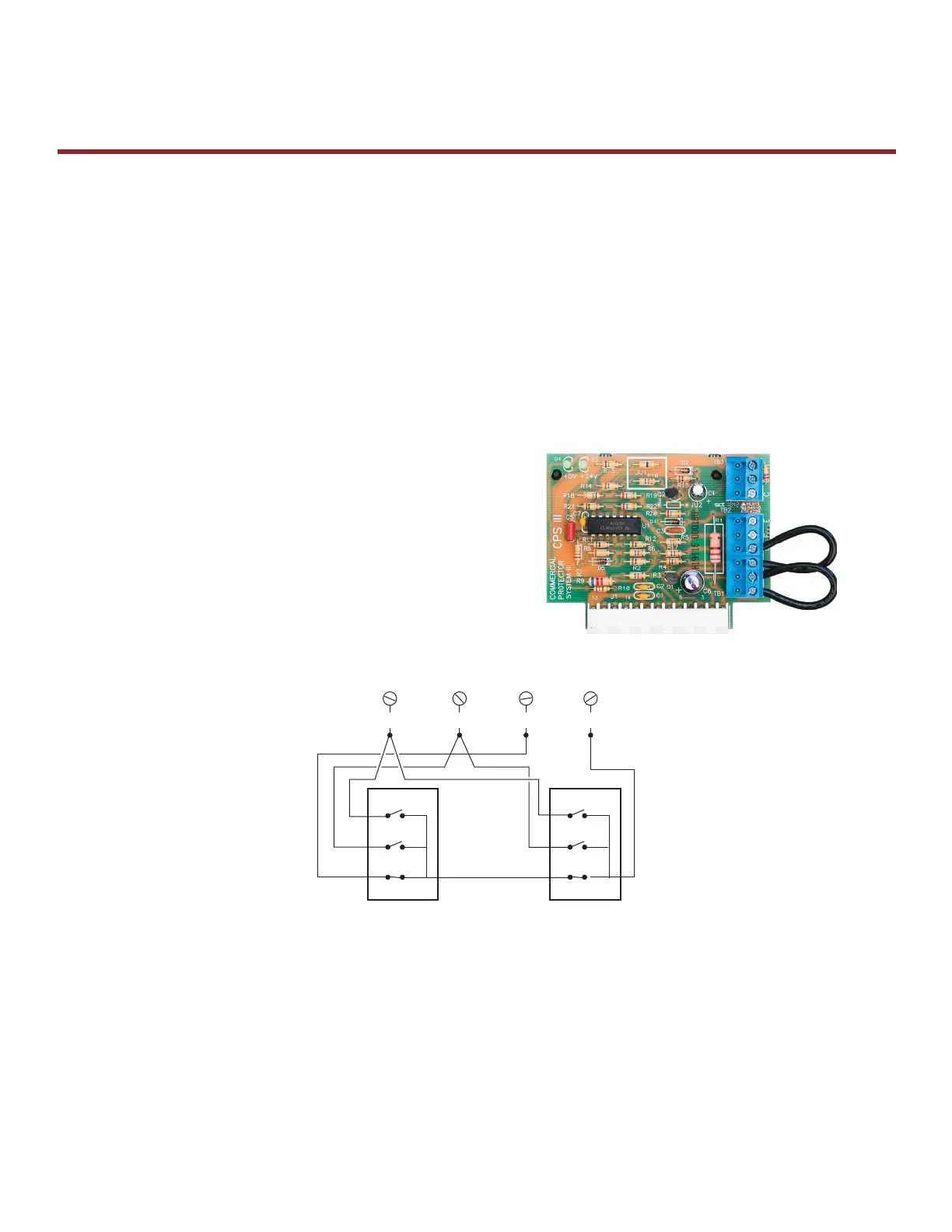
Installing a second set of photo eyes on a Logic 3.0, 4.0 or 5.0
operator requires the use of a CPS3CARD. The fi rst set of photo
eyes will wire to LMEP and COMMON on the logic board. The
second set will wire to the CPS3CARD. The card is plugged into
the logic board.
10. How To Wire Multiple 3-Button Control Stations.
11. What Are The Major Differences Between Logic 4.0 And Logic 5.0?
Exclusive Logic 5.0 Features:
• myQ Technology - Internet connectivity for monitoring and controlling a commercial door operator from a smart
phone, tablet or computer.
• Security + 2.0™ On Board Receiver - Improves range and reduces radio interference.
• Dual Voltage - Within phases, voltage is selectable at the time of installation with the placement of a connector.
Single-phase is compatible with 115v and 230v. 3-phase is compatible with 208v, 230v and 460v. 3-phase, 575v is a
model without fi eld selectable voltage.
E
General Information
Frequently Asked Questions
WIRING TWO 3-BUTTON CONTROL STATIONS
Operator Screw Terminals
The STOP Circuit must be wired in series.
The OPEN and CLOSE wiring should be in parallel.
OPEN
STOP
COMMONCLOSE
1
OPEN
CLOSE
STOP
2
OPEN
CLOSE
STOP









 To Next Page