11
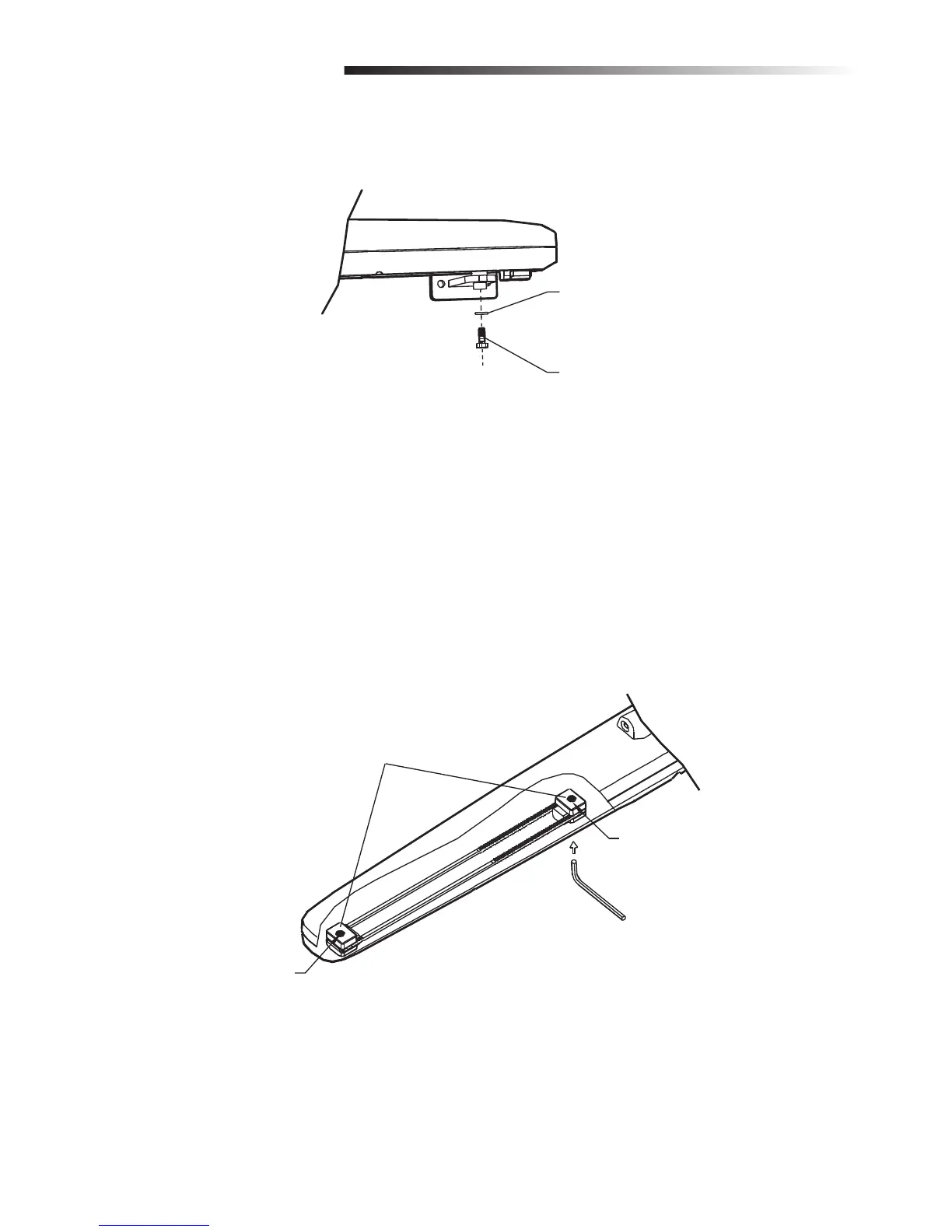
4. Secure the operator to the gate bracket using the screw and washer (provided) and tighten.
4. Permanently secure the gate operator to the gate using hardware (not provided) or by welding.
5. Engage the operator with the release key, see page 12.
5. Manually release the operator clutch with the release key, see page 12.
6. Manually open and close the gate. Ensure that the operator does not bind.
Adjust Travel Distance
1. To adjust the gate’s traveling distance, loosen each the adjustment screws using an Allen wrench.
2. Stop the gate in the “full closed” position. Adjust and tighten the close adjustment screw.
3. Stop the gate in the “full open” position. Adjust and tighten the open adjustment screw.
Adjustment Screws
Closing Stop
Opening Stop
Washer
Bolt
INSTALLATION













 To Next Page