D10.D15.DRS15-MANS
Apr ‘19
- 25
‘CSC300’ Controller (cont’d)
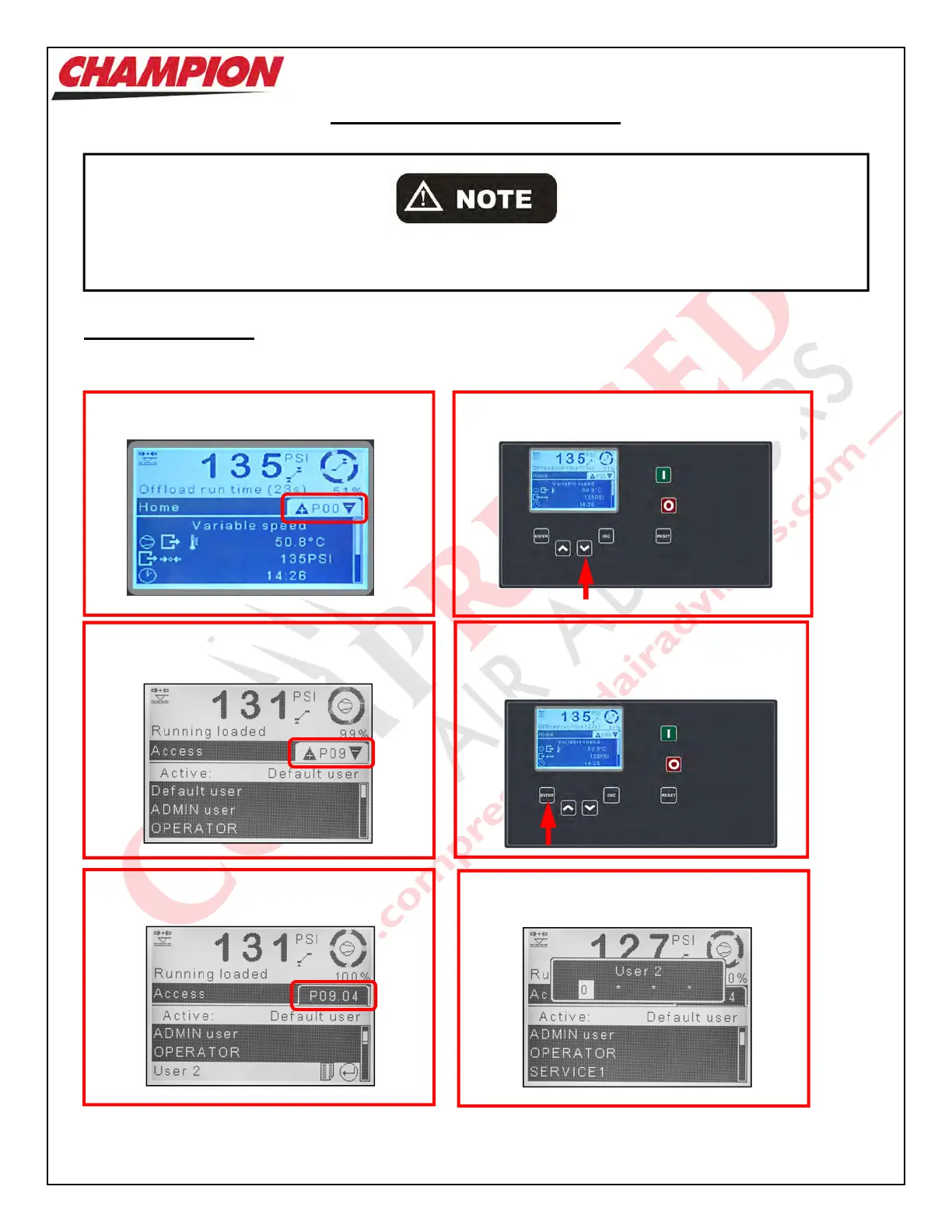
Access Code Entry
To gain entry to areas of the Controller in which an Access Code is required:
4. Press ‘Enter’ key to navigate into P09
menu content and press ‘Down’ key to
highlight P09.04 Service 1.
2.
Press the ‘Down’ key to navigate to P09
Access page.
Adjusting the parameters of the Controller could adversely affect the operation of the Unit. Only those
individuals with knowledge of the Unit should be permitted to make any adjustments.
1. When navigation location is at P00
3. The screen shown below will appear
5. The screen shown below will appear
6. Press ‘Enter’ key



 To Next Page