CHCNAV RS10 USER MANUAL | 2024-04 P a g e | 11
4 Product Workflow
For the convenience of users, provide two methods of data collection, SmartGo APP Control
and One-Key Control.
4.1 Advance Preparation
▪ Check the equipment to ensure that the contents and other accessories are not missing.
▪ Check whether there are any stains on the laser beam exit window and camera. If there are
stains, use the cleaning tools provided with the package to gently wipe and clean them.
▪ Make sure the baterries and LT800 tablet are fully charged.
▪ Check the device authorization and storage space.
4.2 SmartGo APP Control
4.2.1 WiFi connection
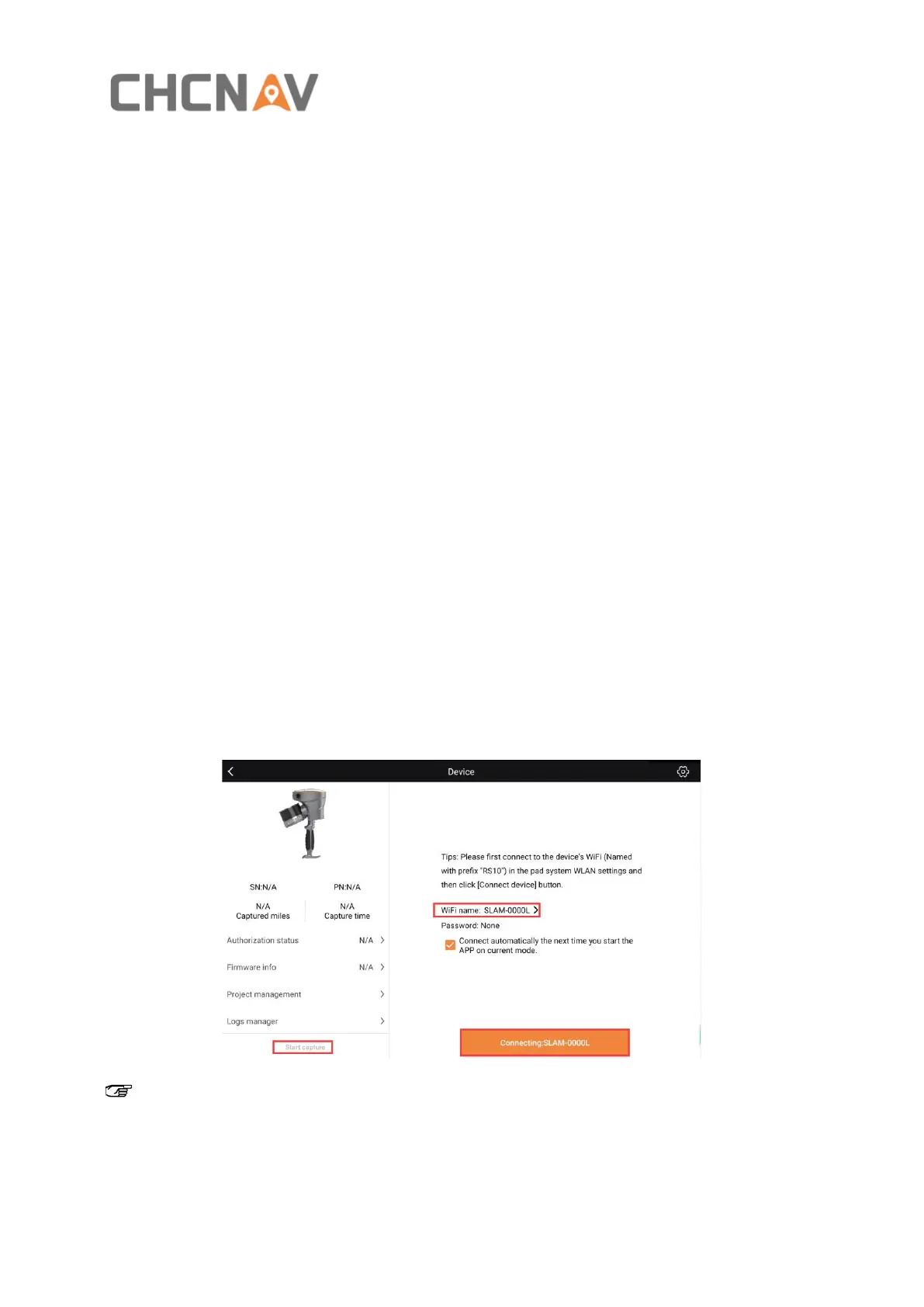
▪ Click “WiFi name” to search device Wi-Fi (SLAM-XXXXX, XXXXX is the same as the last five
characters of the device SN), click “Connect to device” to connect the device to the tablet
via Wi-Fi.
Note: Make sure your tablet’s connected to the device's WiFi and that no other apps are
stealing that connection.



 To Next Page