CHCNAV RS10 USER MANUAL | 2024-04 P a g e | 21
5.4 Real-time Point Cloud
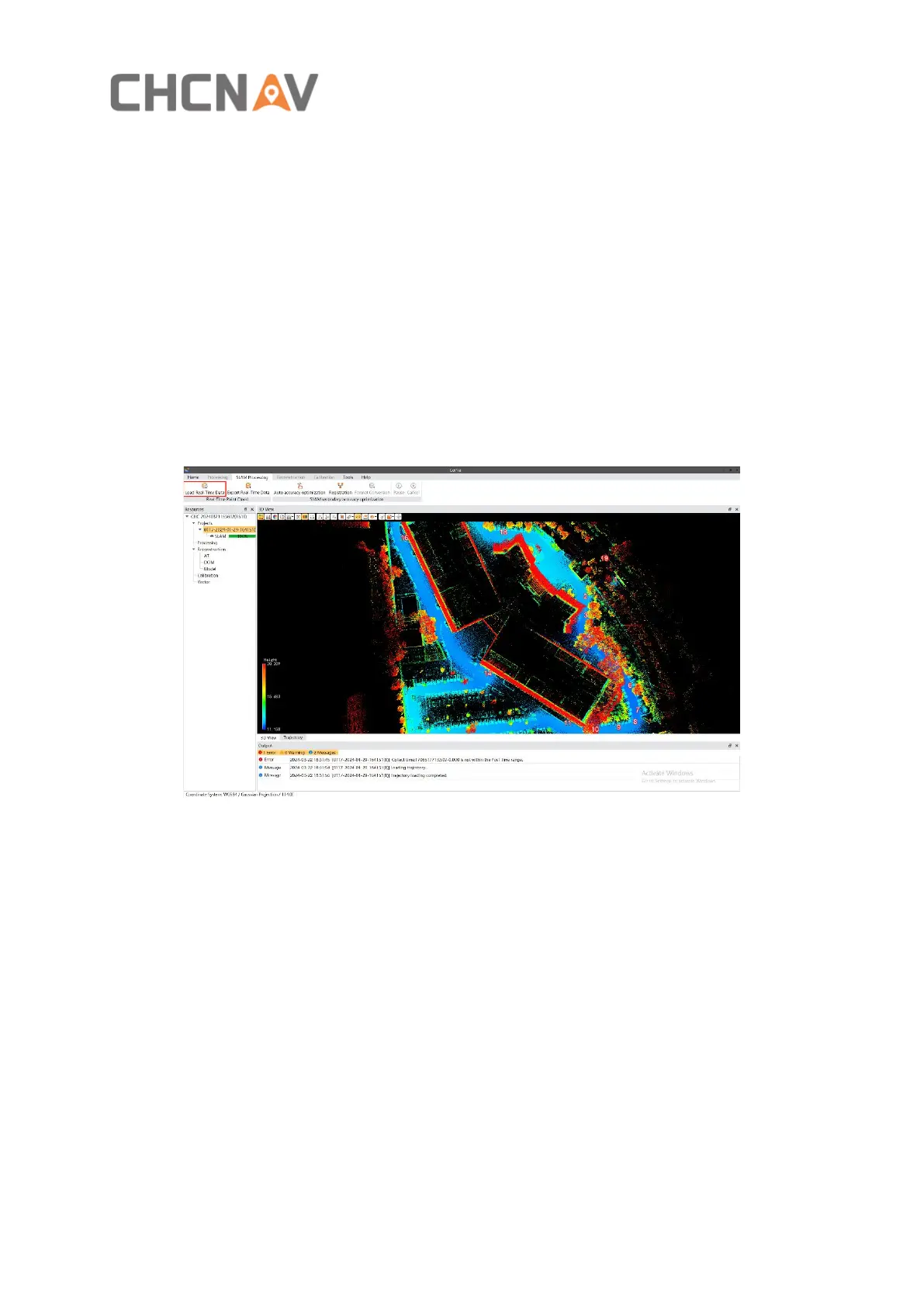
Real-time point cloud data needs to be loaded and generated as 'codata' in the CoPre software
after creating a new task. Subsequently, it can be exported in LAS format.
5.4.1 Load real-time point cloud
After creating a new task, in CoPre's SLAM processing module, clicking on 'Load Real-Time
Data' will generate and display real-time point cloud results. Real-time point cloud data is
stored in the 'SLAM_DATA/RealTime_Codata' folder within the original project directory, in
'codata' format.
5.4.2 Export real-time point cloud
To export real-time point cloud data in LAS format, click on 'Export Real-Time Data' , set the
LAS version, segmentation settings, and the output path, then click 'OK' to export. By default,
LAS format point cloud results are stored in the 'SLAM_DATA/RealTime_Las' folder within the
original project directory.



 To Next Page