CHCNAV RS10 USER MANUAL | 2024-04 P a g e | 26
5.6 Result check
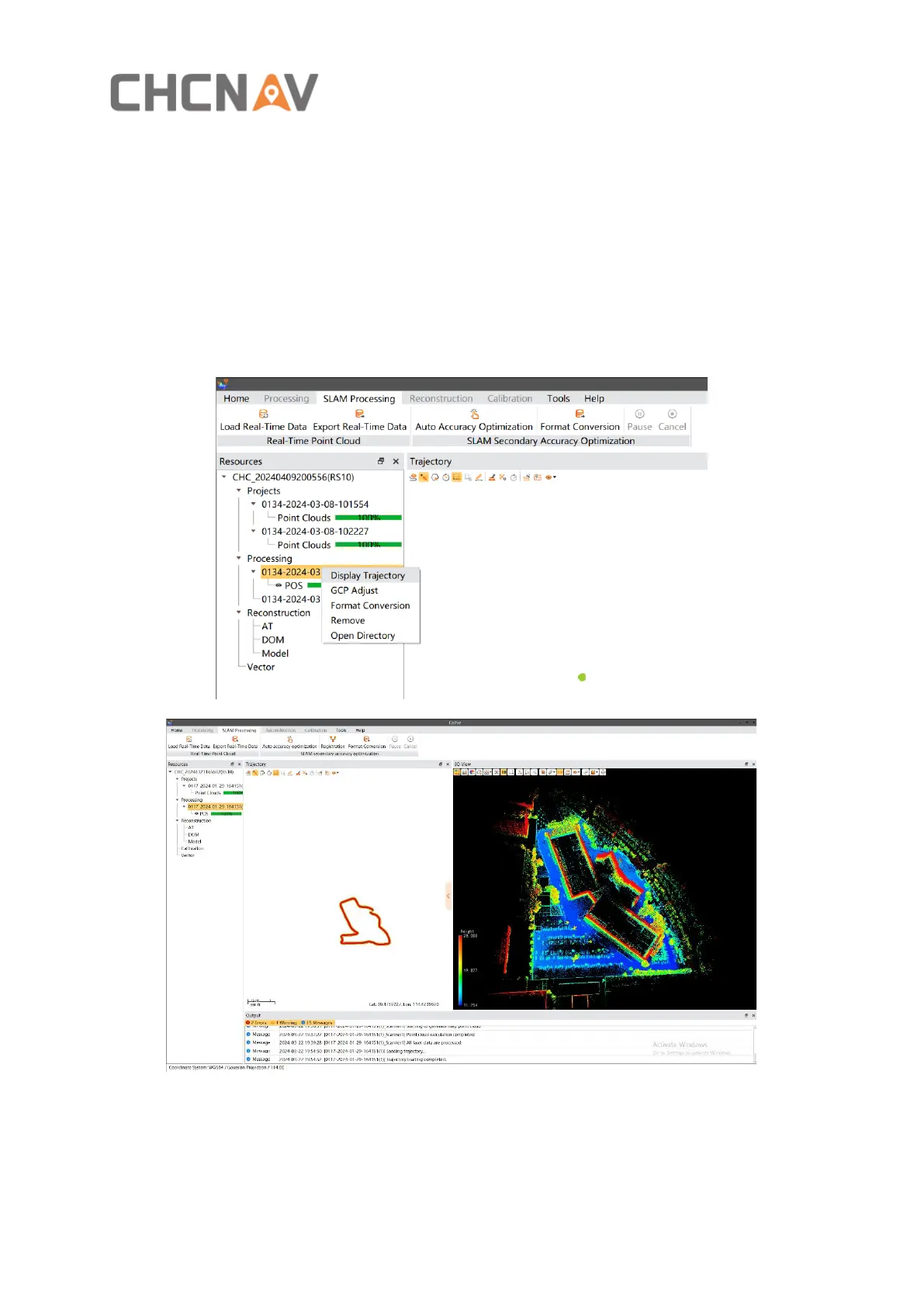
Select the project under the "Processing" node, then right-click and choose "Display
Trajectory." The resulting trajectory will be loaded into the trajectory view.
Click on two points on the resulting trajectory or drag the mouse left button to select an area.
The point cloud corresponding to the selected trajectory will be loaded into the 3D view.
You can perform measurements, check, browsing, and other operations on the point cloud in
the 3D view.



 To Next Page