CHCNAV RS10 USER MANUAL | 2024-04 P a g e | 25
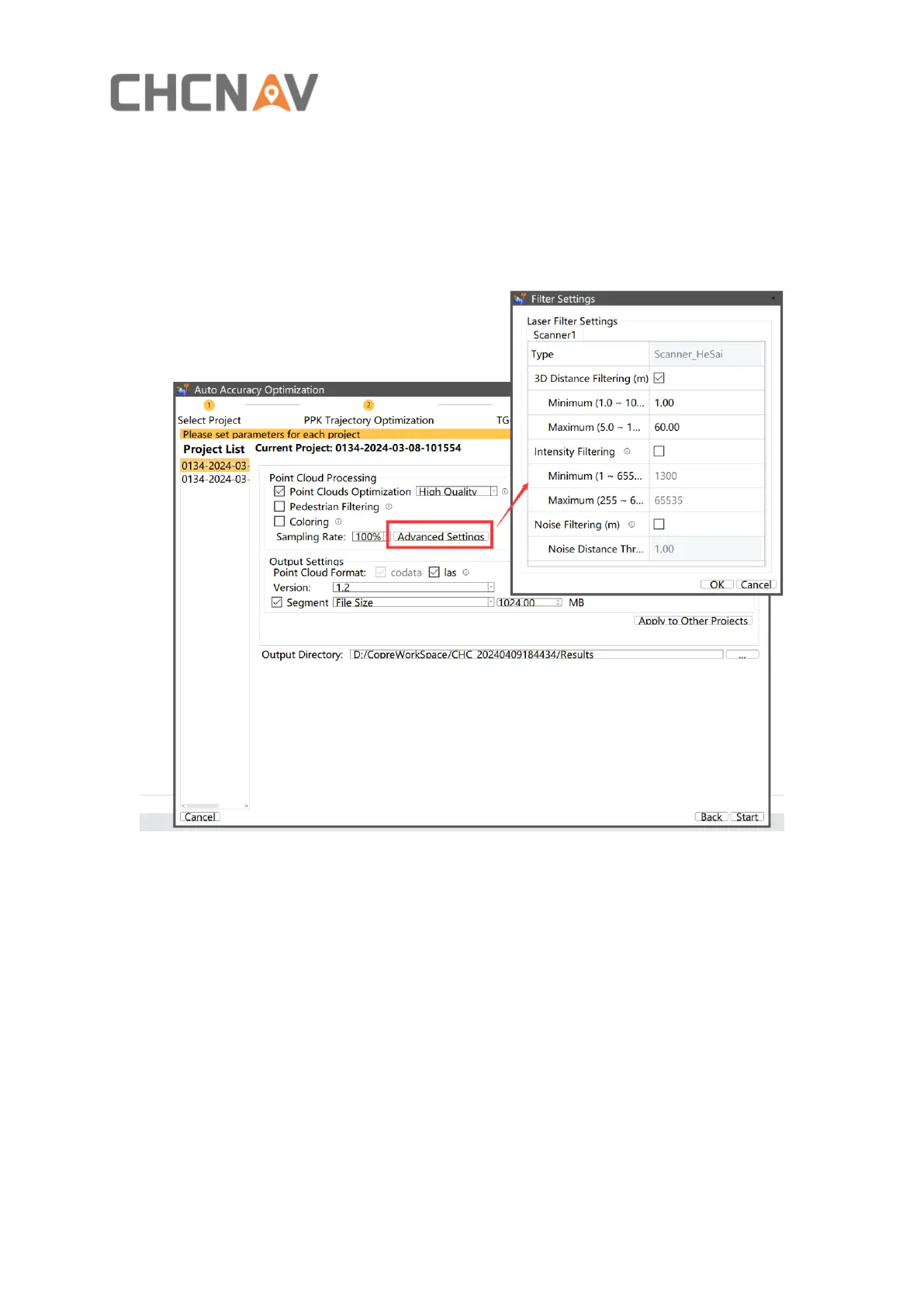
▪ Click “next” to set result parameters:
Settings description:
Point Clouds Optimization: Reduce the thickness of the point cloud .
Pedestrian Filtering: Filter moving people and objects.
Coloring: Colorize point cloud use photos.
3D distance filtering: Delete point cloud data that falls outside the specified three-dimensional
distance range.
Intensity filtering: Delete point cloud data that falls outside the specified grayscale value range,
with the default range being 1300-65535.
Noise filtering: Delete point cloud noise based on the noise distance threshold
parameter.



 To Next Page