CHCNAV RS10 USER MANUAL | 2024-04 P a g e | 13
results through PPK post-processing or trajectory control point optimization in CoPre.
▪ Third, please avoid logging in with the same account on multiple devices simultaneously.
It could hog up the account and cause disconnects.
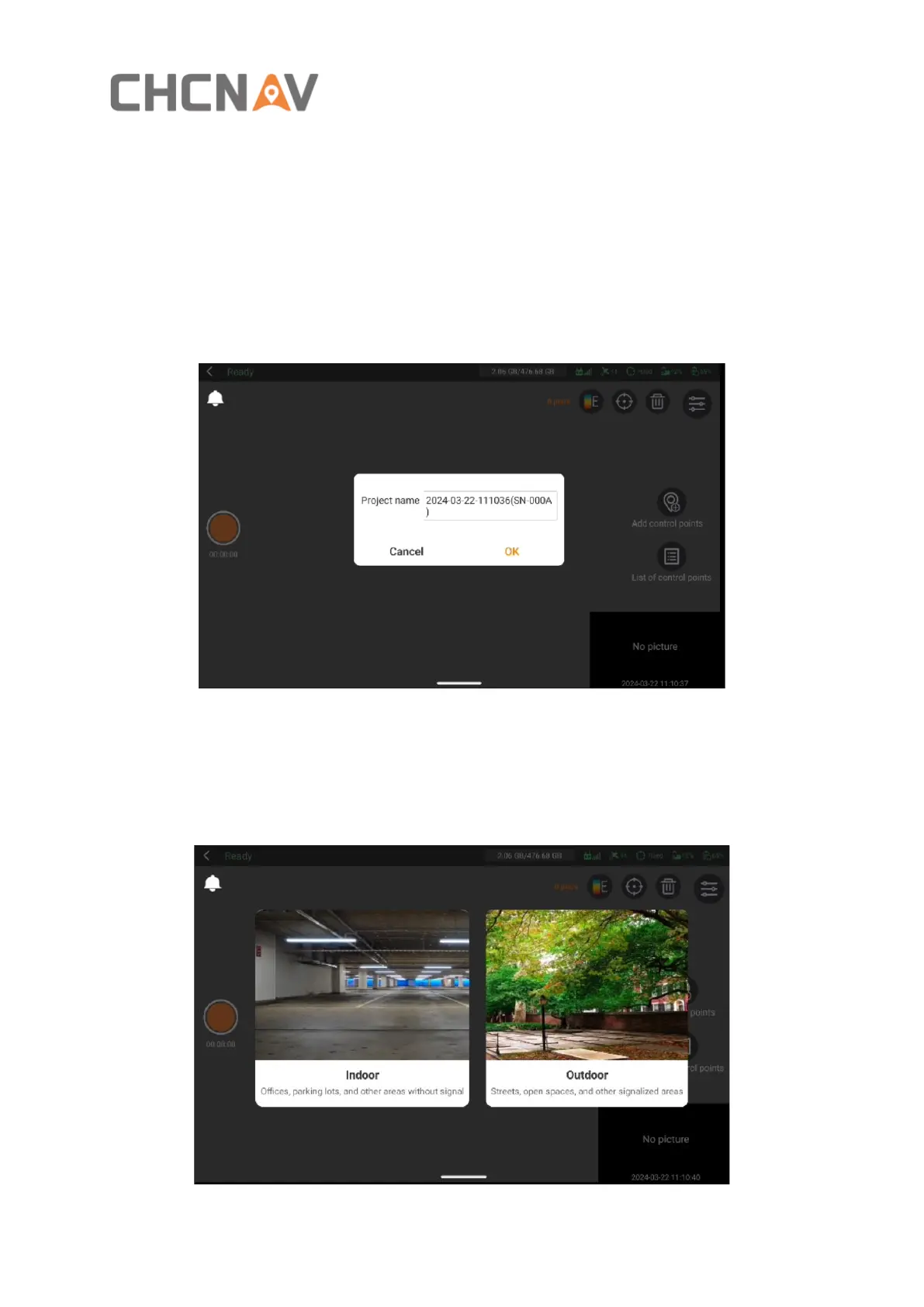
4.2.3 Start project
▪ Click on the orange circular button on the left side of the screen to start a project.
Remember, project names have to stick to letters or numbers.
4.2.4 Select capture scene
▪ After creating the project, select the appropriate capture scene based on the
environment, and proceed to data collection within the chosen scene.



 To Next Page