CHCNAV RS10 USER MANUAL | 2024-04 P a g e | 12
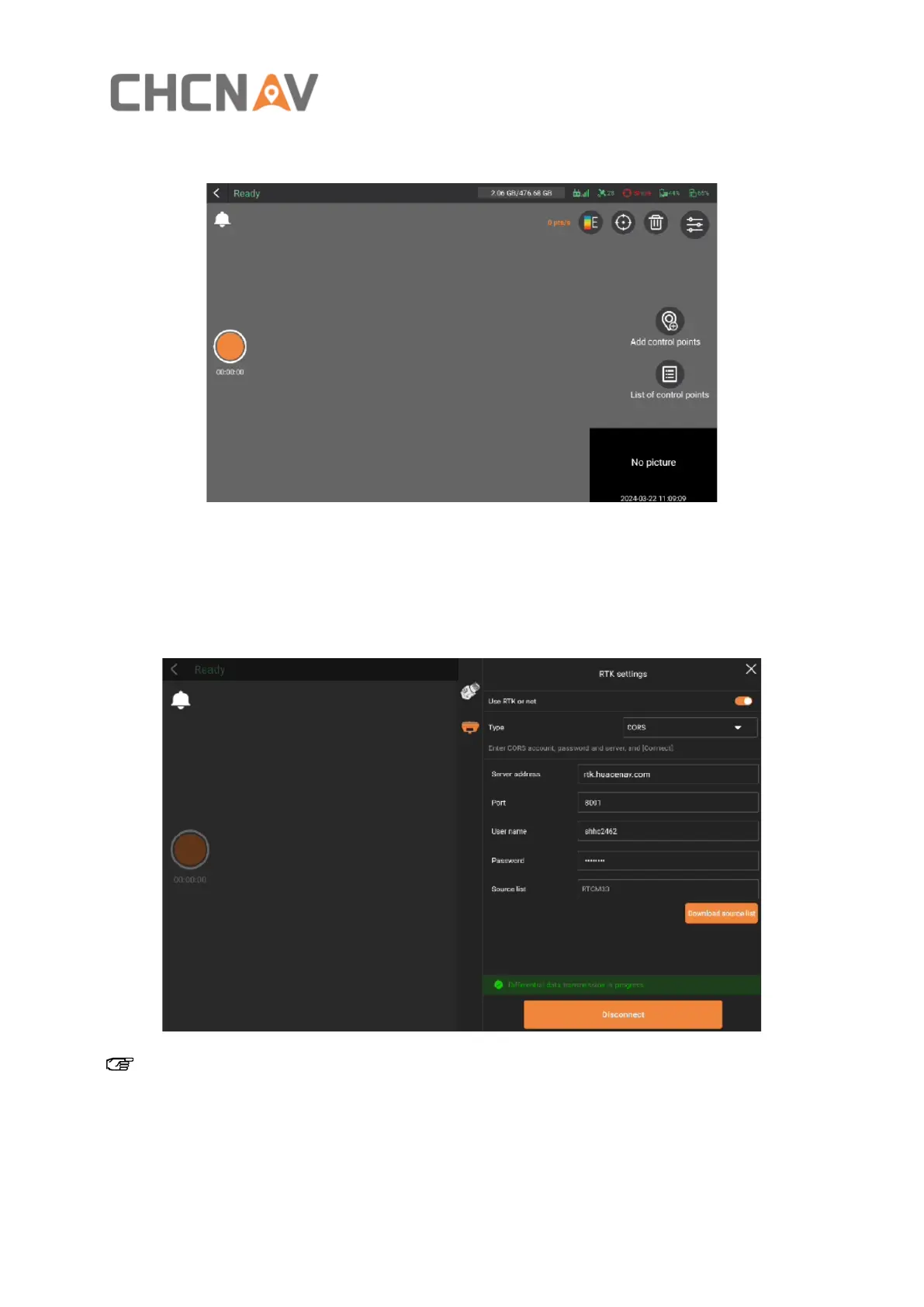
▪ Click “Start capture” to enter the data collection interface, shown as below.
4.2.2 RTK settings
▪ You can output real-time point cloud data with absolute coordinates either by logging into
the CORS account in the RTK settings or through PPK.
Note:
Alright, when you're logging into CORS, there are a couple of things to keep in mind.
▪ First, make sure your port settings align with your coordinate system outcomes.
▪ Second, if you're not logging into CORS, you can still get your absolute coordinate cloud



 To Next Page