CHCNAV RS10 USER MANUAL | 2024-04 P a g e | 16
Note:
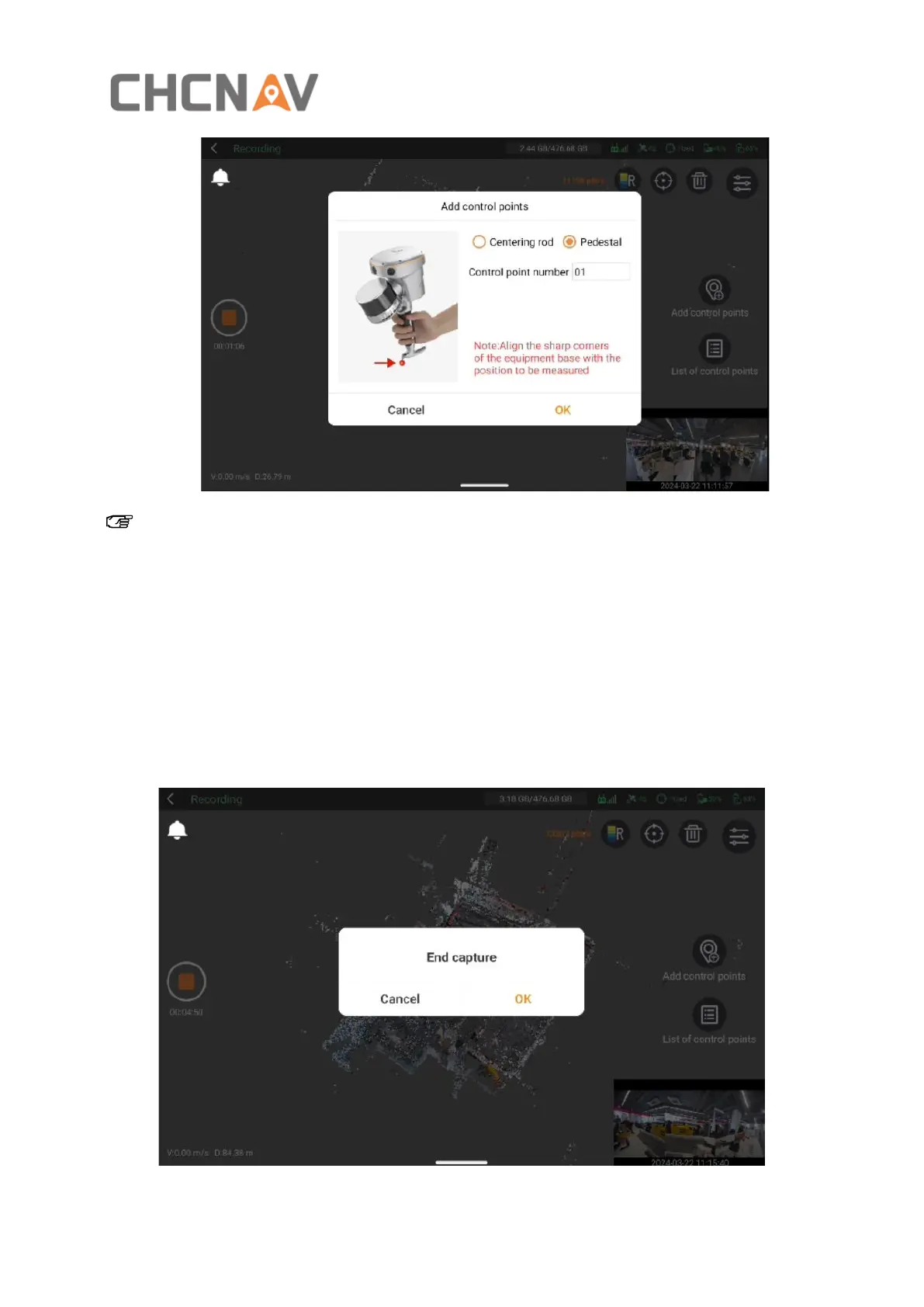
If you're using the range pole mode, you'll need to input the pole height. That’s not necessary for
handheld or chest support modes.
Also, try to keep your control point names consistent, and remember, if you're doing coordinate
conversions, you'll need at least four control points.
4.2.8 Stop data acquisition
▪ Click on the orange circular button on the left side of the screen to stop data acquisition.



 To Next Page