UTM-1 Getting Started Guide | 39
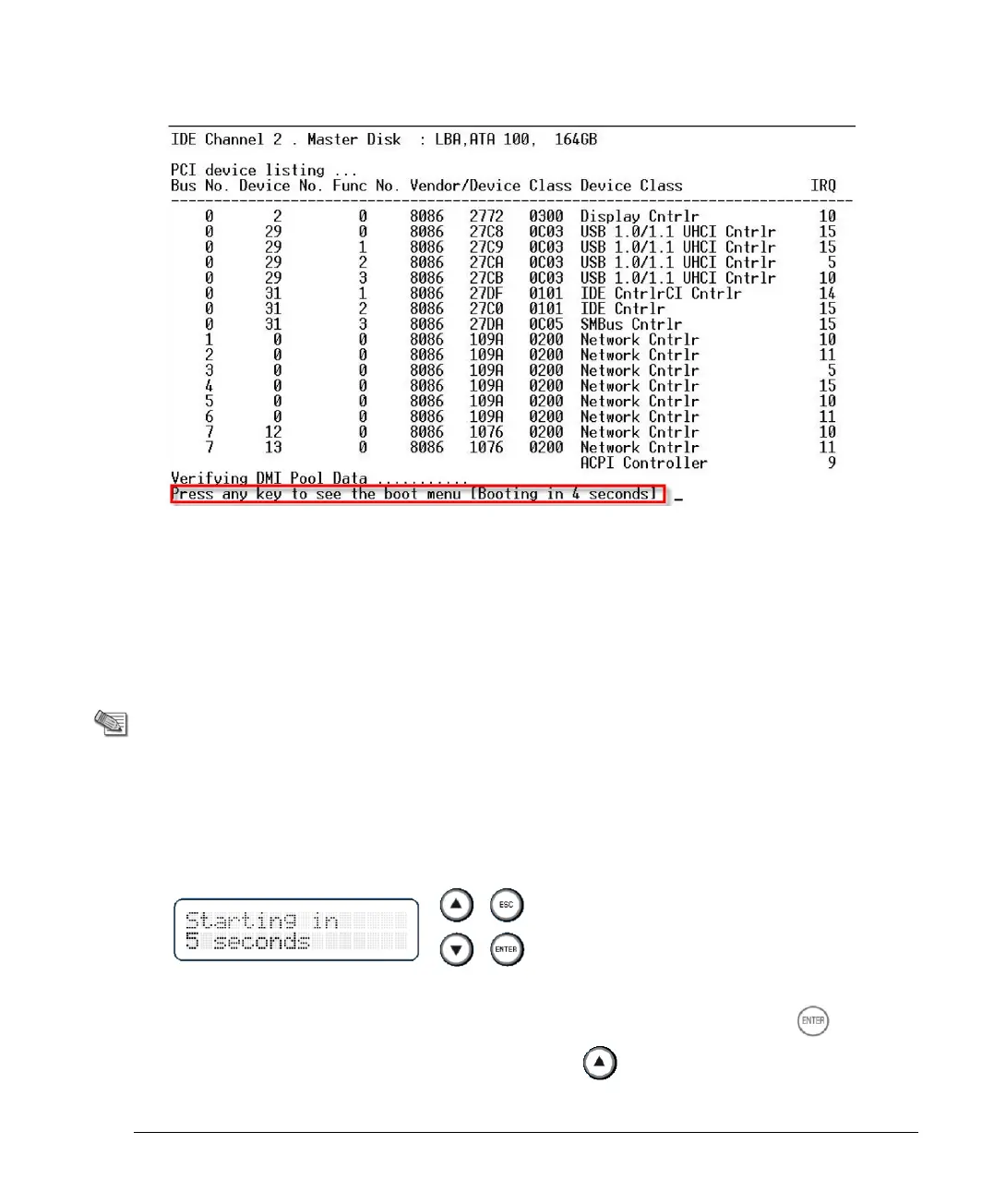
8. The appliance initializes and status messages are shown in the terminal emulation
program.
9. When this message is shown, you have approximately four seconds to hit any key to
activate the Boot menu.
10. From the Boot menu, select the relevant Reset to factory defaults image.
11. Press Enter.
Restoring Using the LCD Panel
Note - This section is not applicable to UTM-1 130
which does not have an LCD panel.
To restore the appliance its default factory configuration using the LCD panel at the front of the
appliance:
1. Reboot or power on the appliance.
2. When the countdown begins, press any of the four buttons to the right of the LCD panel:
The boot menu appears.
3. Using the arrow buttons, select the relevant image version and press ENTER
4. Confirm the reset by pressing the Arrow Up button












 To Next Page