Instruments and Controls 5-33
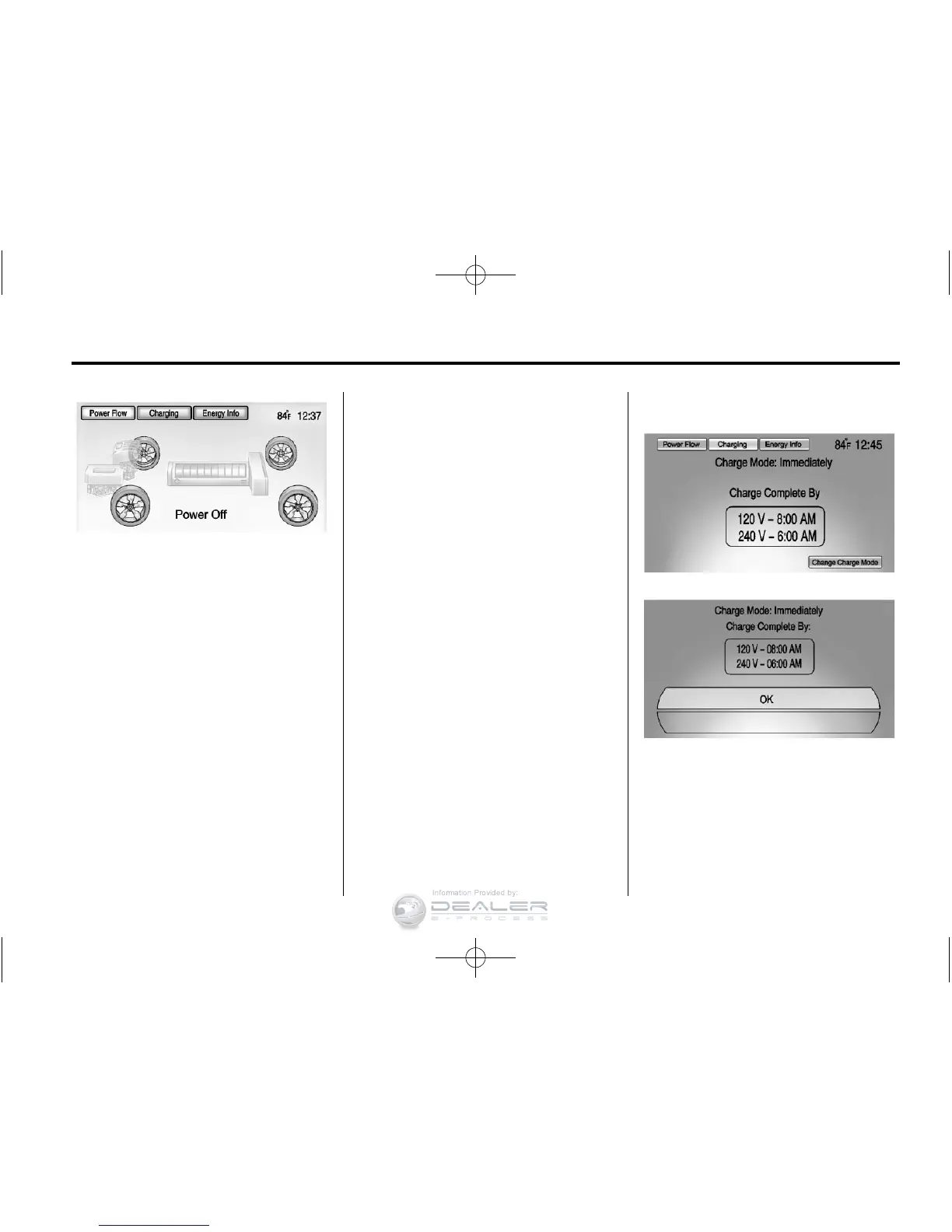
Power Off ‐ No power is flowing to
the wheels.
Charging
Programmable Charging
This vehicle has three
programmable charge modes.
To view the current charge mode
status in the center stack display,
press the
[ button on the center
stack and then press the Charging
button at the top of the touch
screen.
The current charge mode status
can also be viewed in a temporary
pop-up in the center stack display
by pressing the charge port door
release button on the driver door.
The Charge Start and Charge
Complete time estimations are
also displayed on the screen.
These estimations are most
accurate when the vehicle is
plugged in and in moderate
temperature conditions.
Charge Mode Status
Immediately: The vehicle starts
charging as soon as it is connected
to an electrical outlet. See Plug-In
Charging on page 9‑49.












 To Next Page