In Brief 1-17
Cruise Control
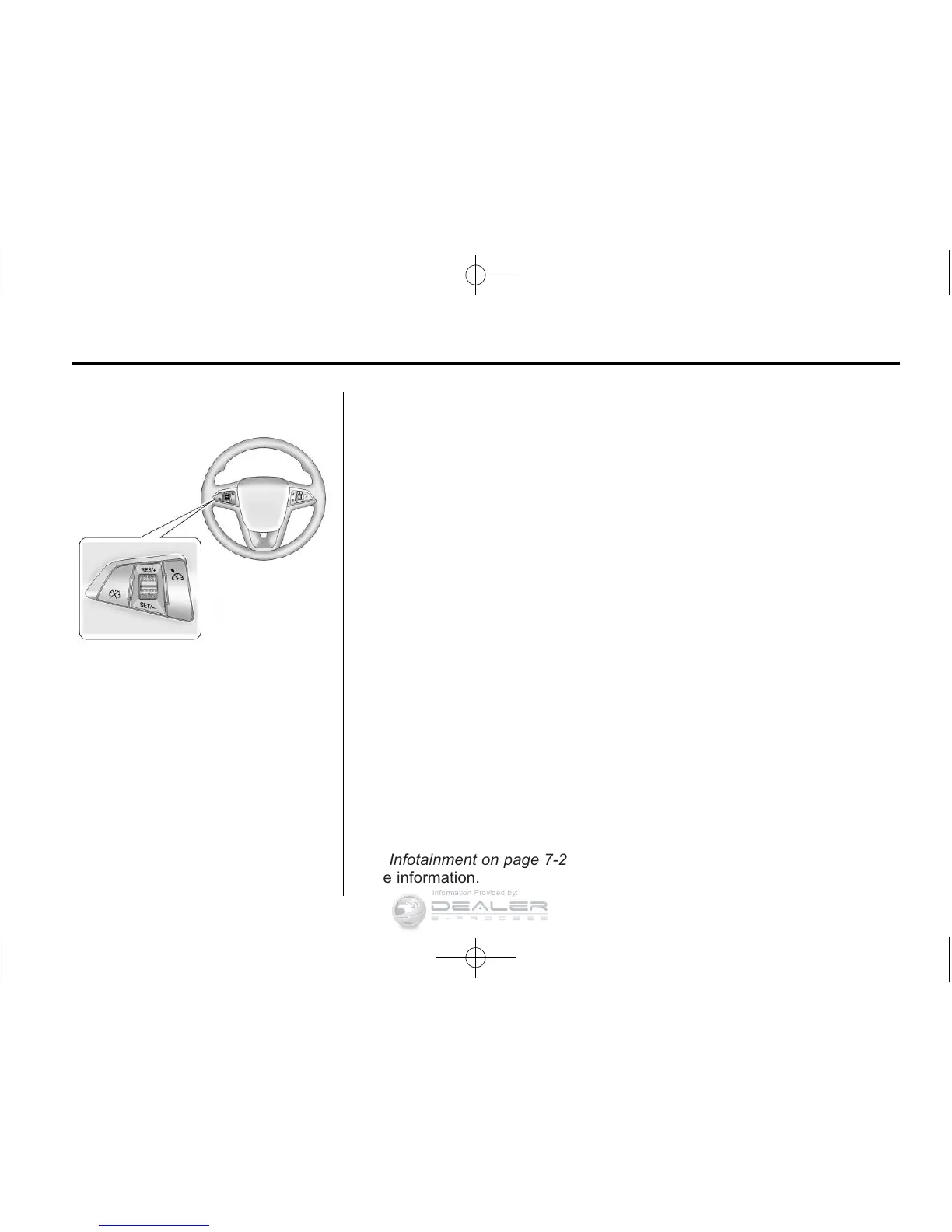
The cruise control buttons are on
the steering wheel.
1 : Press to turn the cruise control
system on and off. An indicator light
will turn on or off in the instrument
cluster.
* : Press to disengage cruise
control without erasing the set
speed from memory.
RES/+ : Move the thumbwheel up
to resume to a previously set speed
or to accelerate.
SET/− : Move the thumbwheel
down to set a speed and activate
cruise control or to make the vehicle
decelerate.
See Cruise Control on page 9‑40.
Navigation System
The vehicle has a navigation system
that includes information about the
radio, audio players, and navigation
system.
The navigation system provides
detailed maps of most major
freeways and roads. After a
destination has been set, the
system provides turn-by-turn
instructions for reaching the
destination. In addition, the system
can help locate a variety of POIs
(Points of Interest), such as banks,
airports, restaurants, and more.
See Infotainment on page 7‑2 for
more information.
Power Outlets
The accessory power outlets can be
used to plug in electrical equipment,
such as a cell phone or MP3 player.
There are three accessory power
outlets:
.
Inside the front of the center
floor console.
.
On the rear of the center floor
console.
.
Inside the instrument panel
storage area.
The power outlets supply power
while the vehicle is on, or if the
vehicle is in Retained Accessory
Power (RAP). See Retained
Accessory Power (RAP) on
page 9‑22.
Remove the cover to access and
replace when not in use.
See Power Outlets on page 5‑8.












 To Next Page