Instruments and Controls 5-35
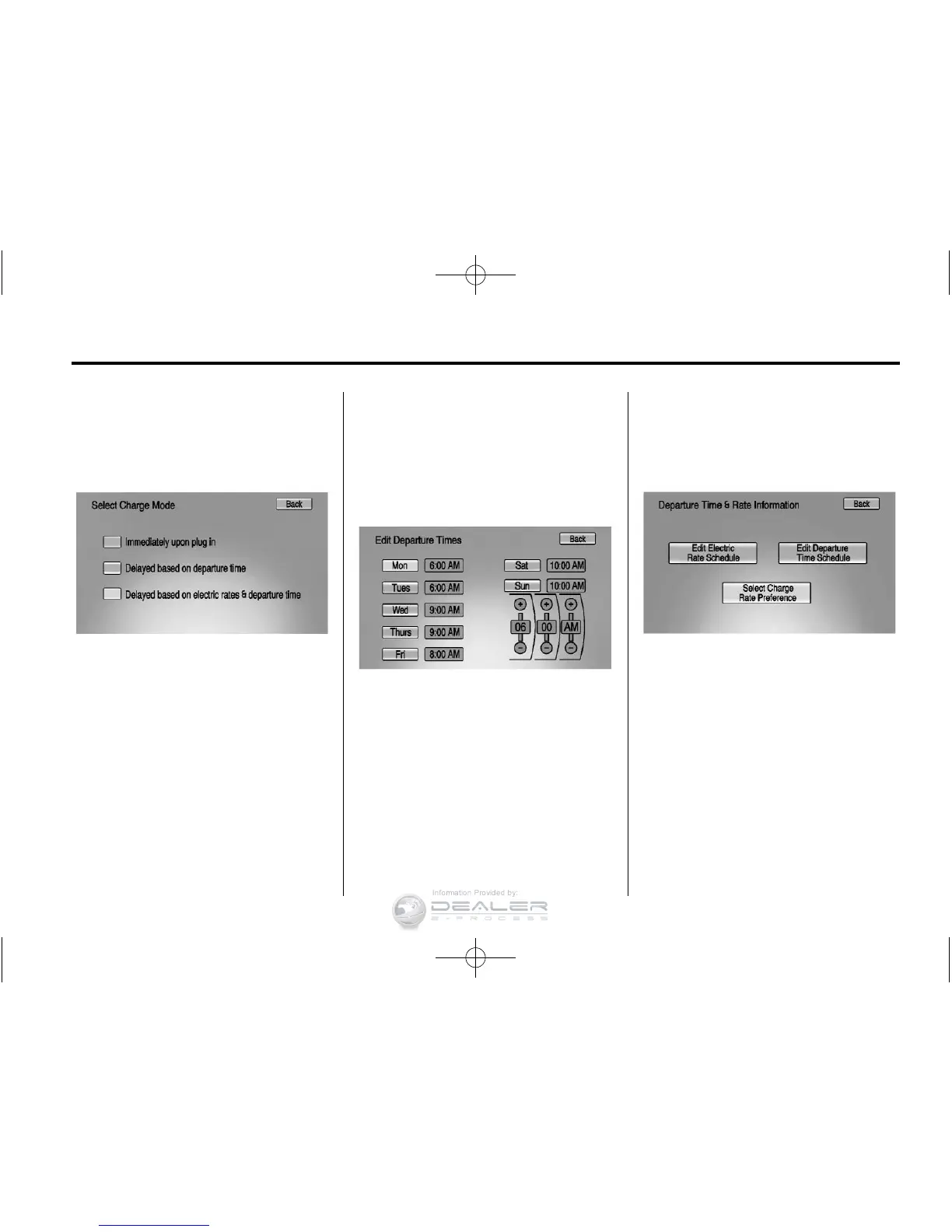
Charge Mode Selection
From the Charge Mode Status
screen, press Change
Charge Mode.
Select one option:
.
Immediately upon plug in.
.
Delayed based on
departure time.
.
Delayed based on electric
rates & departure time.
Departure Time Entry
From the Delayed Charge Mode
Status screen, press Edit to change
the departure time for each day of
the week to match your personal
schedule.
1. Press the day to change.
2. Press + or − to change the hours
and minutes.
3. Press + or − to change AM
or PM.
4. Press Back to store changes
and return to the previous
screen.
Charge Rate Selection
From the Delayed Rate and
Departure Time Charge Mode
Status screen, press Edit.
Select one of the following:
.
Edit Electric Rate Schedule.
.
Edit Departure Time Schedule.
See “Departure Time Entry.”
.
Select Charge Rate Preference.













 To Next Page