7-36 Infotainment System
Playing Audio Book Content
After activating and transferring
www.audible.com files to the
system, play the files:
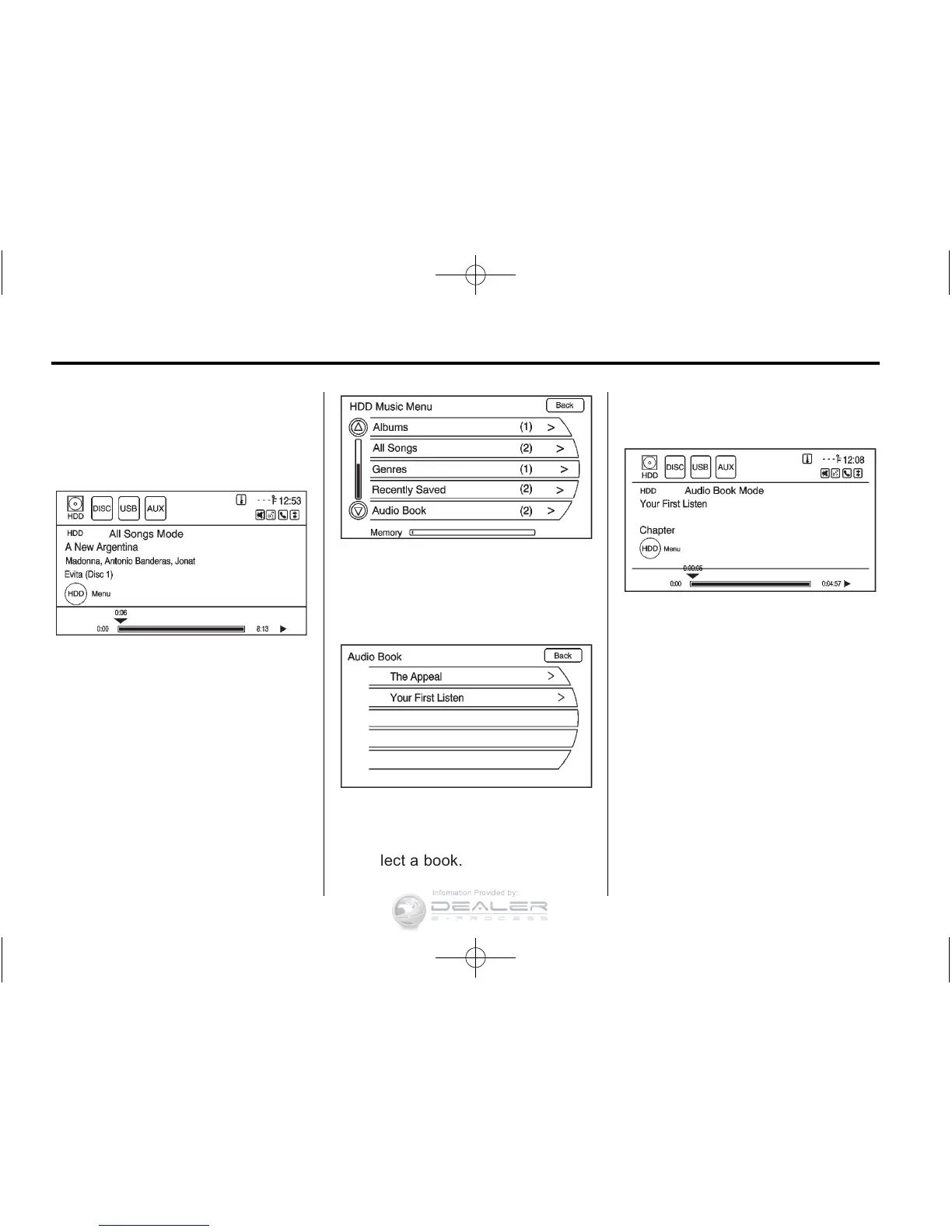
1. Press the HDD/DVD/AUX button
until the HDD source is selected.
2. Press the HDD Menu.
The HDD Music Menu displays.
Scroll down to the Audio Book
option and select.
3. The Audio Book screen
displays a list of the available
audio books for playback.
Select a book.
4. Select a chapter to start
playback.
5. The audio book begins
playback.












 To Next Page