Infotainment System 7-95
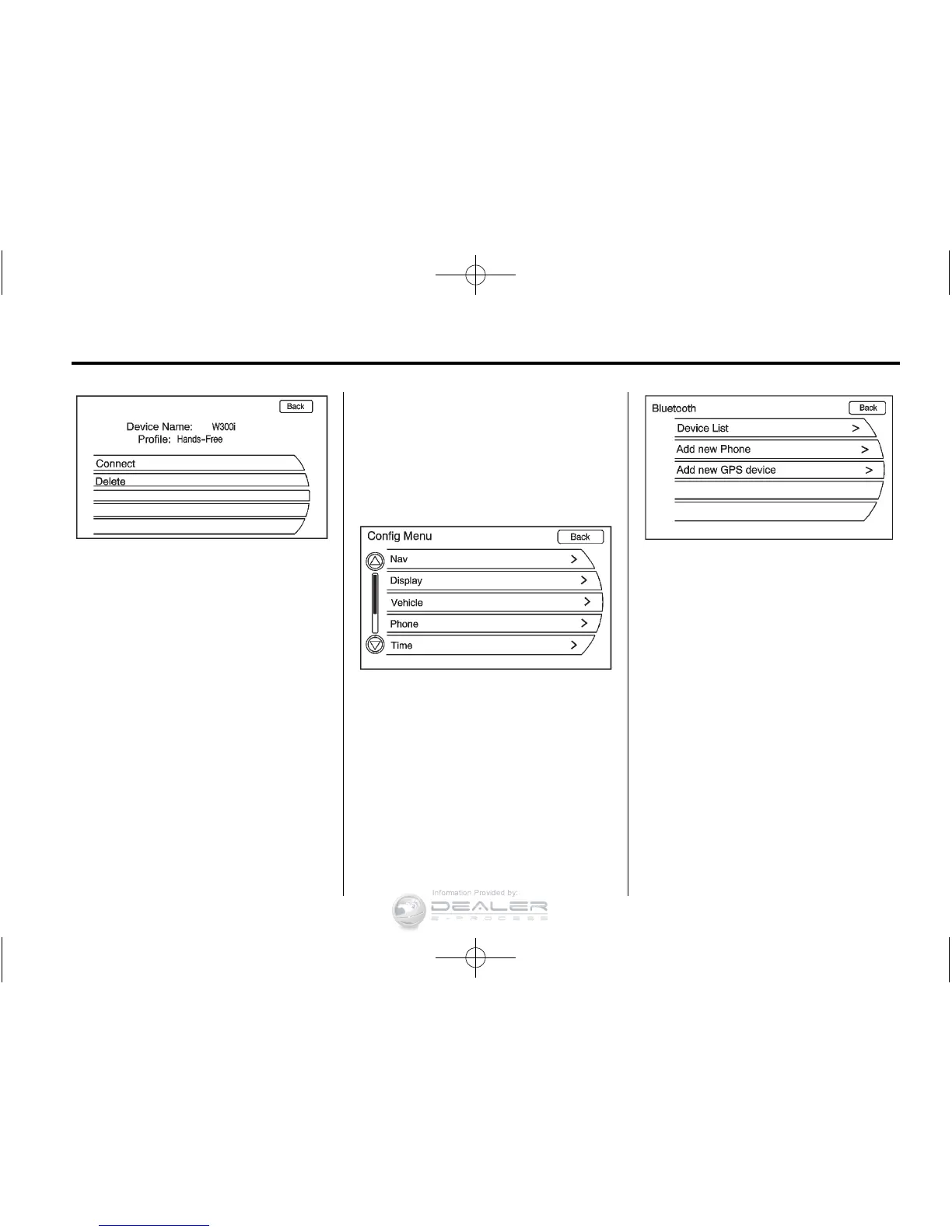
4. Turn the TUNE/MENU knob,
then press it to select the
phone to be deleted. Follow
the on-screen prompts to delete
the device from the system.
5. Once a phone has been deleted,
the only way to connect back to
that phone is to pair the phone
again.
Linking to a Different Phone
To link to a different phone, the
new phone must be in the vehicle
and available to be connected to
the Bluetooth system before the
process is started.
1. Press the CONFIG button.
Turn the TUNE/MENU knob
until the Phone menu displays.
Press the TUNE/MENU knob or
press the Phone screen button
to display other options.
2. Turn the TUNE/MENU knob until
Bluetooth displays. Press the
TUNE/MENU knob or press
the Bluetooth screen button
to display other options.













 To Next Page