Keys, Doors and Windows 2-7
Starting the Vehicle with a Low
Transmitter Battery
If the transmitter battery is weak,
the DIC may display NO REMOTE
DETECTED when you try to
start the vehicle. The REPLACE
BATTERY IN REMOTE KEY
message may also be displayed
at this time.
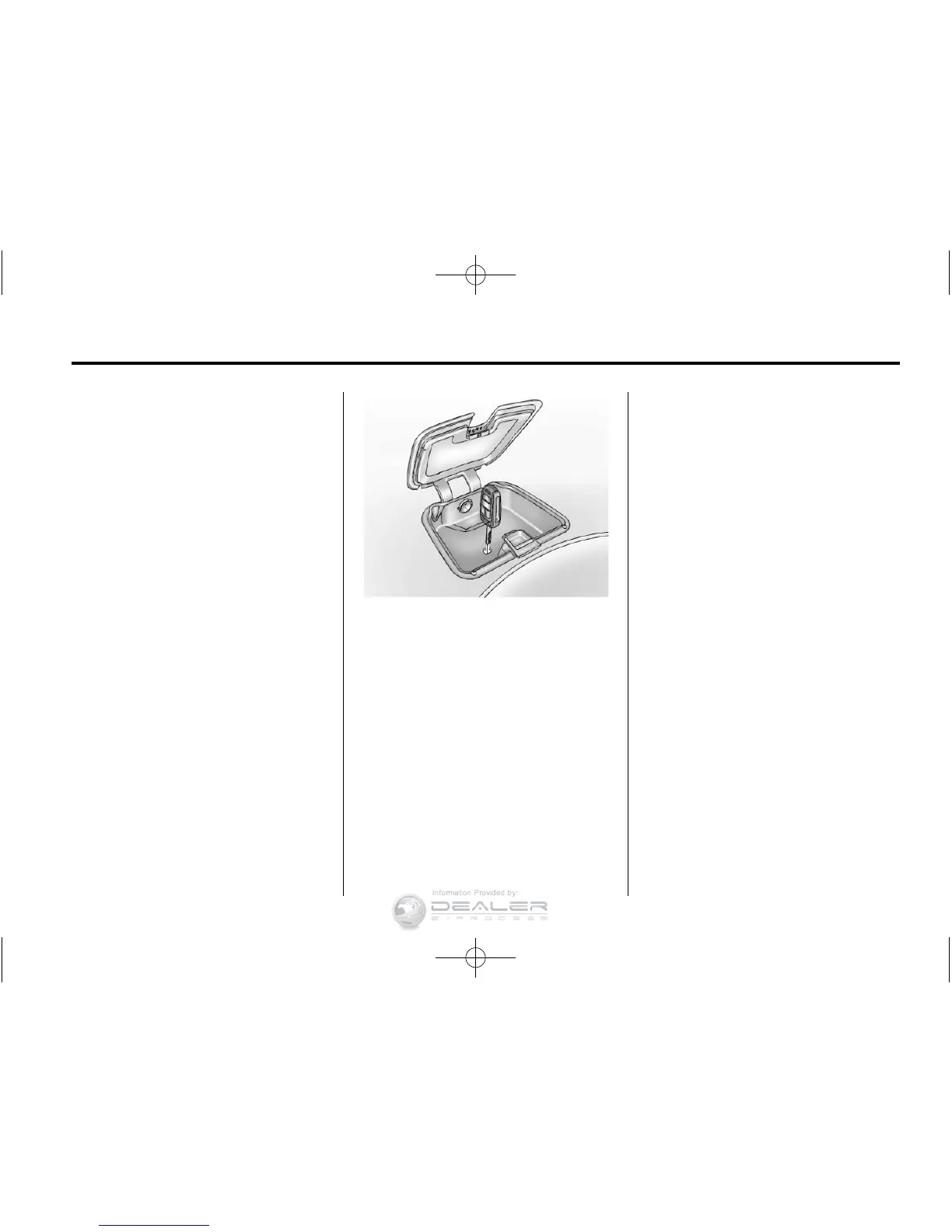
To start the vehicle:
1. Open the instrument panel
storage and remove the
rubber mat.
2. Extend the key blade and place
the blade into the slot.
3. With the vehicle in P (Park) or
N (Neutral), press the brake
pedal and the POWER
O button
on the center stack. See Power
Button on page 9‑18 for
additional information.
Replace the transmitter battery as
soon as possible.
Battery Replacement
Notice: When replacing the
battery, do not touch any of
the circuitry on the transmitter.
Static from your body could
damage the transmitter.
To replace the battery:
1. Extend the key blade and open
the battery cover on the back of
the unit.
2. Remove the used battery.
Avoid touching the circuit board
to other components.
3. Insert the new battery, positive
side facing down toward
the base.
4. Reassemble the battery cover.
5. Check the operation of the
transmitter with the vehicle.













 To Next Page